3.
Network address
a.
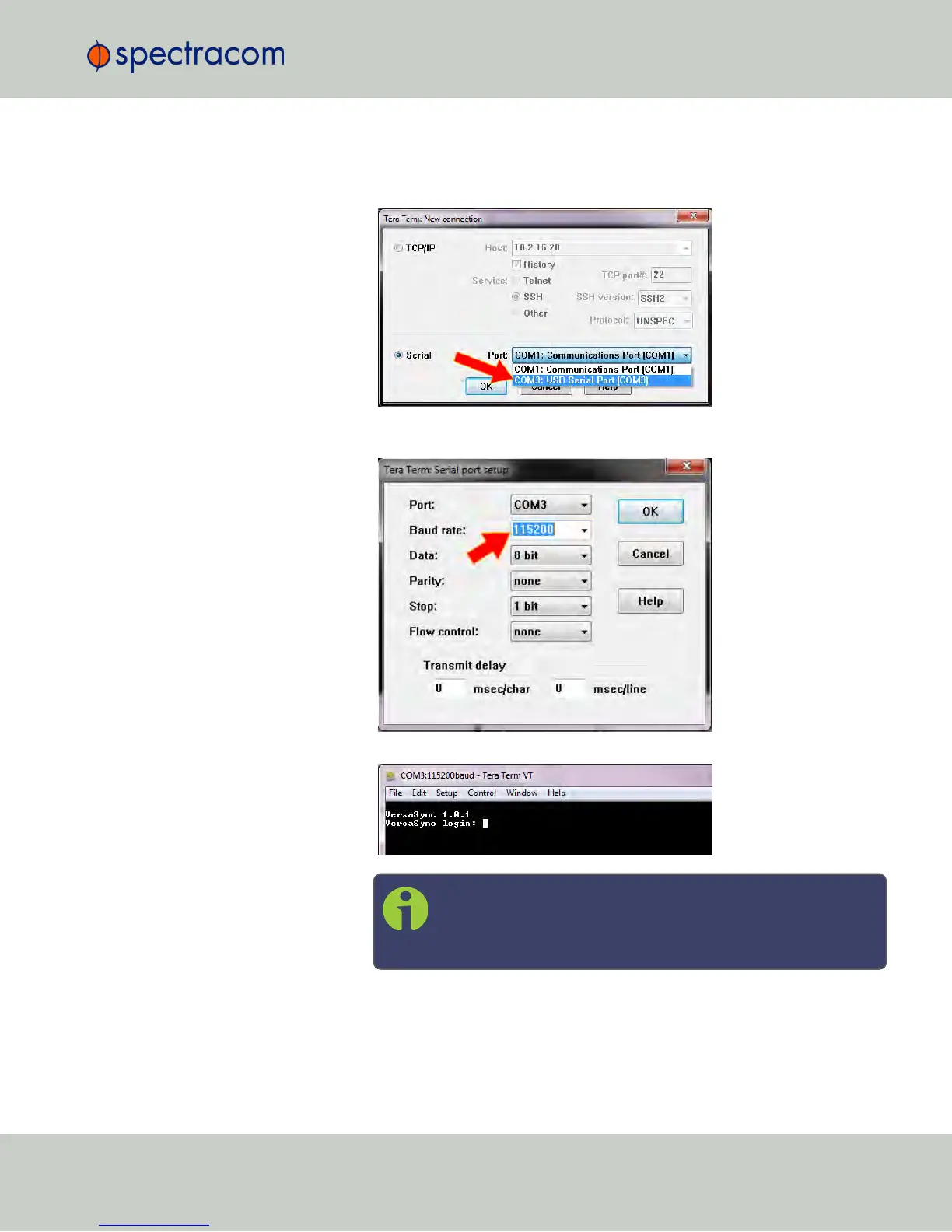
Start the terminal emulator program on the PC. Select the COM port that is
assigned to the USB interface:
Access the CLI via ssh or telnet: The required port configuration is 115200
8N1:
Press the Return key, and enter the login credentials:
Note: The default login credentials are:
User name = spadmin
Password = admin123 (will not be displayed on the screen)
b.
If you are on a DHCP-enabled network, retrieve the IP address assigned to
VersaSync by typing the net4 command. The command should return the
CHAPTER 1 • VersaSync Evaluation Kit Quick Reference Guide Rev. 5
3


 To Next Page