i.
Navigate to MANAGEMENT > Network Setup.
ii.
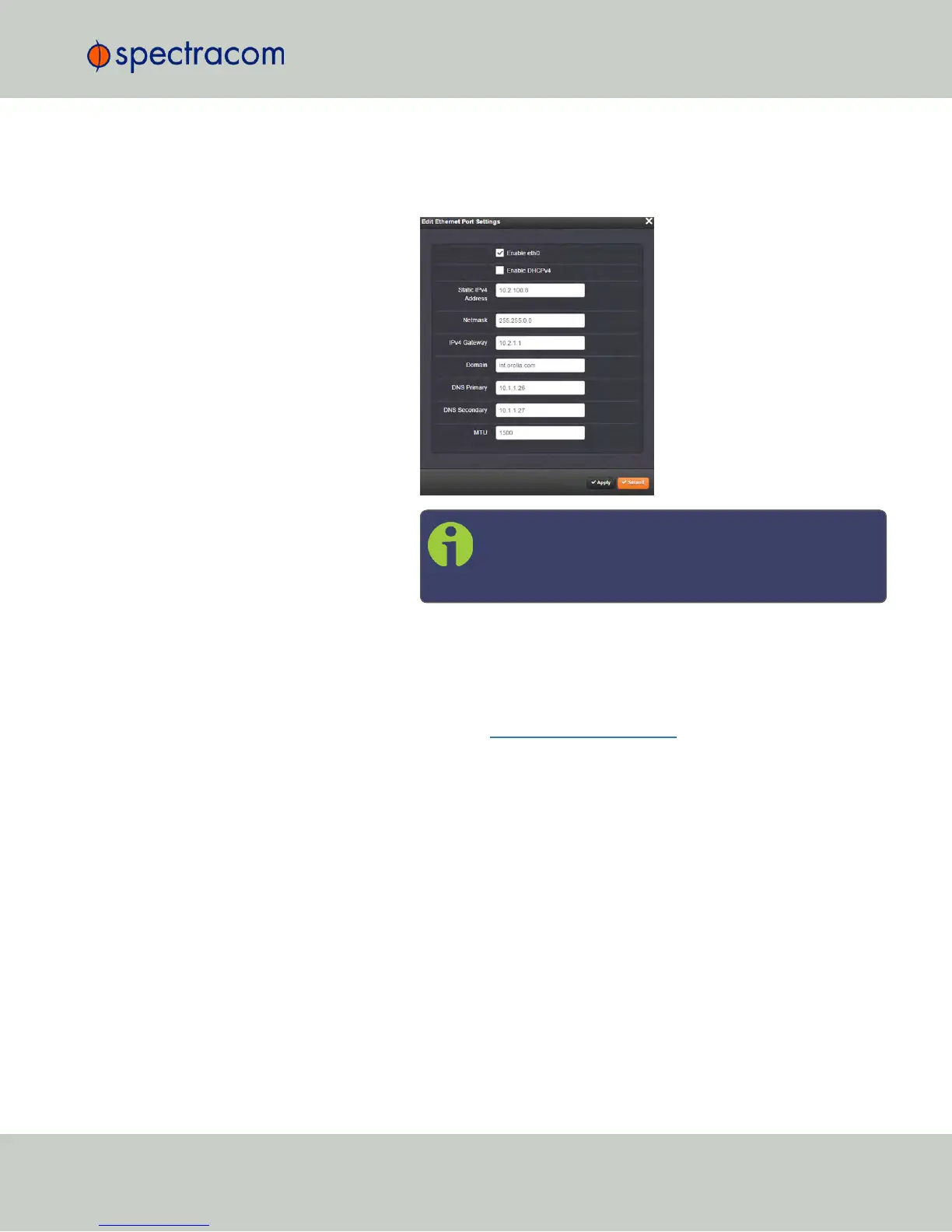
In the Ports panel on the right, click the GEAR button next to ETH0 or
ETH1: The Edit Ethernet Port Settings panel will open.
Note: If you have not disabled DHCP yet, uncheck
Enable DHCPv4, but DO NOT click Submit until after
completing all IP configuration settings.
e.
Click Submit, and start a new Web UIsession by entering the new IP
address into your browser, and logging into the Web UIagain.
f.
You have now established a network connection with VersaSync. Continue
with other configurations e.g., NTP settings, references, outputs, etc. See
the user manual: manuals.spectracom.com.
CHAPTER 1 • VersaSync Evaluation Kit Quick Reference Guide Rev. 5
5


 To Next Page