EN
3
AR636B Instruction Manual
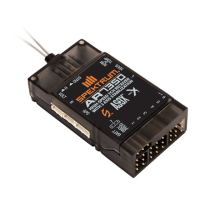
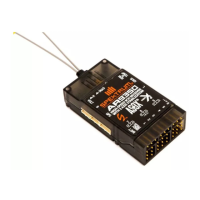
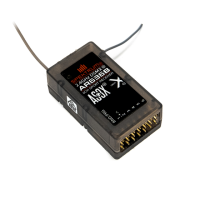
The AR636B full range 6-channel receiver features DSMX
®
technology and is
compatible with all Spektrum
™
transmitters that support DSM2
®
and DSMX
technology.
Features
• 6-Channel Full Range Receiver with integrated AS3X
®
technology
• Programmable from mobile devices or PC
• Three gyro modes: Off, Rate Mode and Heading Hold
• Assignable channel outputs
Applications
Sport aircraft using up to 6 channels. Not for use in aircraft with full carbon
ber fuselages.
Specifications
Type: DSMX Sport Receiver
Channels: 6
Modulation: DSM2, DSMX
Dimension (WxLxH): .90 x 1.70 x 0.60 in (23.5 x 42.0 x 14.0mm)
Weight: 0.36 oz (10.2 g) main receiver
Input Voltage Range: 3.5–9.6V
Resolution: 2048
Compatibility: All DSM2 and DSMX Aircraft Transmitters and Module Systems
Binding
The AR636B receiver must be bound to the transmitter before it will operate.
Binding is the process of teaching the receiver the specic code of the
transmitter so it will only connect to that specic transmitter.
TIP: If you are going to use the AS3X feature, do not connect any servos to
the receiver during binding. When you activate AS3X, the Spektrum AS3X
Programmer app will show you where to connect the servos.
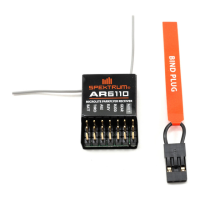
1. Insert the bind plug in the BIND port on the receiver.
2. Power the receiver through any open channel port. The orange LED on the
receiver ashes, indicating the receiver is in bind mode. NEVER power the
receiver through a telemetry port.
3. Put the transmitter in bind mode. Binding is complete when the orange LED
on the receiver is solid.
AUX1 (Auxilary 1 port)
GEAR (Gear port)
RUDD (Rudder port)
ELEV (Elevator port)
AILE (Aileron port)
THRO (Throttle port)
BIND/PROG
(Bind, Programming port)
Antennas
LED


 To Next Page