Need help?
Do you have a question about the Spectrum 200-H and is the answer not in the manual?
Legal notices, copyright, and symbol explanations.
Definitions for warning, caution, and note indicators.
Warranty terms and WEEE disposal instructions for users.
Key safety guidelines for operation and maintenance.
Specific warnings about electrical shock and product damage.
Essential safety precautions for product operation.
Regulatory information regarding FCC rules and RF exposure.
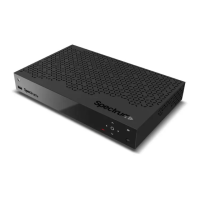
Identifies buttons and ports on the front of the device.
Identifies ports and connections on the rear of the device.
Illustrates coaxial, Ethernet, and HDMI connection types.
Important notes regarding adapter approval and direct connection to TV.
Instructions for connecting a coaxial cable for antenna input.
Guidance on using HDMI or RCA cables for TV connection.
Steps for establishing a network connection via Ethernet.


 To Next Page
 General