GB2
For Your Safety
Safety Instructions
1. POWER SUPPLY
• Operatethisproductonlyfromthetypeofpower
supply shown on the marking label. If you do not
know the type of power supplied to your home,
contact your local power company.
• Disconnectthepowersupplybeforeyoustartany
maintenance or installation procedures.
2. OVERLOADING
• Makesurethatthewalloutlet,extensioncord
and adapter have a sucient power rating for the
appliance. If not, this can cause an electric re shock.
3. LIQUID
• Donotexposethisproducttoliquids.Donotput
objects lled with liquid on the product.
4. CLEANING
• Disconnecttheproductfromthewalloutletbefore
you clean it.
• Useamoistclothtocleantheproduct.Donotuse
solvents. Wipe the surface gently with a soft cloth as
it may get scratched.
5. VENTILATION
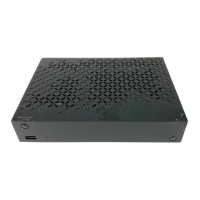
• Makesurethattheslotsontopoftheproductare
not blocked. It is necessary to have a sucient
airow into the unit.
• Donotputelectronicequipmentontheproduct.
• Donotputobjectsontheproduct.Thiswillblock
the ventilation or cause damage to the surface.
6. ATTACHMENTS
• Donotuseanyunsupportedattachmentsasthese
may be hazardous or cause damage to the product.
7. LIGHTNING, STORM OR NOT IN USE
• Unplugtheproductfromthewalloutletand
disconnect the antenna during a thunderstorm or
when left unattended and unused for long periods
of time. This will prevent damage to the unit due to
lightning and power-surges.
8. EXTRANEOUS OBJECTS
• Donotinsertanythingthroughtheopeningsin
the unit, where they can touch dangerous voltage
points or damage parts.
9. REPLACEMENT OF PARTS
• Whenreplacementofpartsisrequired,besurethe
service technician uses replacement parts specied
by the manufacturer or those that have the same
characteristics as the original part. Unauthorised
substitution may result in additional damage to the
unit.
10. CONNECTION TO THE SATELLITE DISH LNB/CABLE TV
SIGNAL/AERIAL
• Disconnectthepowersupplybeforeyouconnect
or disconnect the cable from the satellite dish/cable
TV signal/aerial. If not, this can cause damage to the
LNB/cable TV line/aerial.
11. CONNECTION TO THE TV
• Disconnectthepowersupplybeforeyouconnect
or disconnect the cable from the TV. If not, this
can cause damage to the TV.
12. EARTHING (satellite only)
• EarththeLNBcabletothesystemearthforthe
satellite dish.
13. LOCATION
• Placetheproductindoorstoavoidexposure
to lightning, rain or sun. Do not place it near a
radiator or heat register.
• Keepatleast10cmclearancefromanyother
appliances susceptible to electromagnetic
inuences such as a TV or a VCR.
• Ifyouplacetheproductonarackorabookcase,
make sure that there is adequate ventilation
and that you have followed the manufacturer’s
instructions for mounting.
• Donotplacetheproductonanunstablesurface
where it can fall. A falling product can cause
serious injury to a personnel and serious damage
to the appliance.
14. Environment
•Attentionshouldbedrawntotheenvironmental
aspects of battery disposal.
•Careisrequiredfortheuseofthisapparatusin
tropical and/or moderate climates.
Cautions and Warnings
1. To avoid damage of the power cord or plug
• Donotmodifyorprocessthepowercordorplug
arbitrarily.
• Donotbendortwistthepowercord.
• Makesuretodisconnectthepowercordwhileyou
hold the plug.
• Keepheatingappliancesasfaraspossiblefromthe
power cord to prevent the cover vinyl from melting.
• Themainsplug,asadisconnectiondevice,shall
remain readily accessible by the user.
2. To avoid electrical shock
• Donotopenthemainbody.
• Donotinsertmetalorinammableobjectsinsidethe
product.
• Donottouchthepowerplugwithwethands.
• Disconnectthepowercordincaseoflightning.
• Unplugthepowercablebeforeyouinstallthe
antenna cable.
3. To avoid damage of product
• Donotusetheproductwhenitisoutoforder.Ifyou
continue to use the product when defective, this
may cause serious damage. Make sure to contact the
customer service centre if the product is out of order.
• Donotinsertmetaloraliensubstanceintotheslots
for the modules or Smartcards. It may cause damage
to the product and reduce its life span.
4. To avoid damage of the hard disk drive (PVR only)
• Donotmovetheproductorturnthepowero
suddenly while the hard disk drive is running.
• Thecompanyshallnotbeliableforanycorruption
of data on the hard disk drive caused by
carelessness or misuse of the user.
For Your Safety



 To Next Page
 Loading...