Need help?
Do you have a question about the Spectrum DX6R and is the answer not in the manual?
General information, warnings, and age recommendation.
Essential safety warnings and battery charging guidelines.
List of included items and available ports on the transmitter.
Step-by-step guide for charging the transmitter.
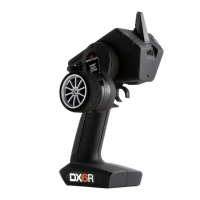
Identification of buttons, screen, and physical components.
Overview of the Android OS and home screen navigation.
Accessing system notifications and quick settings.
Launching the Raceware app and initiating model setup.
Setting up a new model, including user name, receiver type, and power system.
Configuring throttle/brake, motors, steering, and auxiliary channels.
Visual guide to different model setup paths based on selections.
Overview of Dashboard, Telemetry, Monitor, and Setup screens.
Creating, importing, and sorting model profiles.
Editing model name, theme, image, and exporting/duplicating models.
Setting up steering curves, trim, and speed.
On-the-fly steering adjustments and custom curves.
Adjusting steering rate, travel limits, subtrim, and reverse.
Configuring throttle and brake response curves.
Adjusting throttle/brake rates, trim, and curves.
Using traction control, ABS, and idle up functions.
Configuring AWD, servo speed, and channel properties.
Programming auxiliary channel input controls and curves.
Adjusting auxiliary channel travel, subtrim, and reverse.
Configuring system alerts and Active Vehicle Control settings.
Adjusting AVC priority and the receiver binding process.
Creating and managing drive modes, and mapping functions.
Configuring telemetry display and various timer functions.
Using Up, Down, and Lap timers with alert configurations.
Managing user name, units, system backups, and recalibration.
Overview of adjustable trigger and steering controls.
Adjusting dropdown wheel angle and converting to standard wheel.
Using steering wedges and changing transmitter grips.
Reconfiguring the transmitter for left or right-handed use.
Swapping knob/switch and headphone jack assemblies for handedness.
Technical details for SR2000 and SR6000T receivers.
Warranty coverage, exclusions, and limitations of liability.
Procedures for obtaining warranty service and support contacts.
FCC and IC compliance statements for the device.
European Union compliance and WEEE disposal instructions.
 General
| Channels | 6 |
|---|---|
| Band | 2.4GHz |
| Modulation | DSM2 |
| Compatibility | DSM2 |
| Voltage Range | 3.5-9V |

 To Next Page