+5V
Din
GND
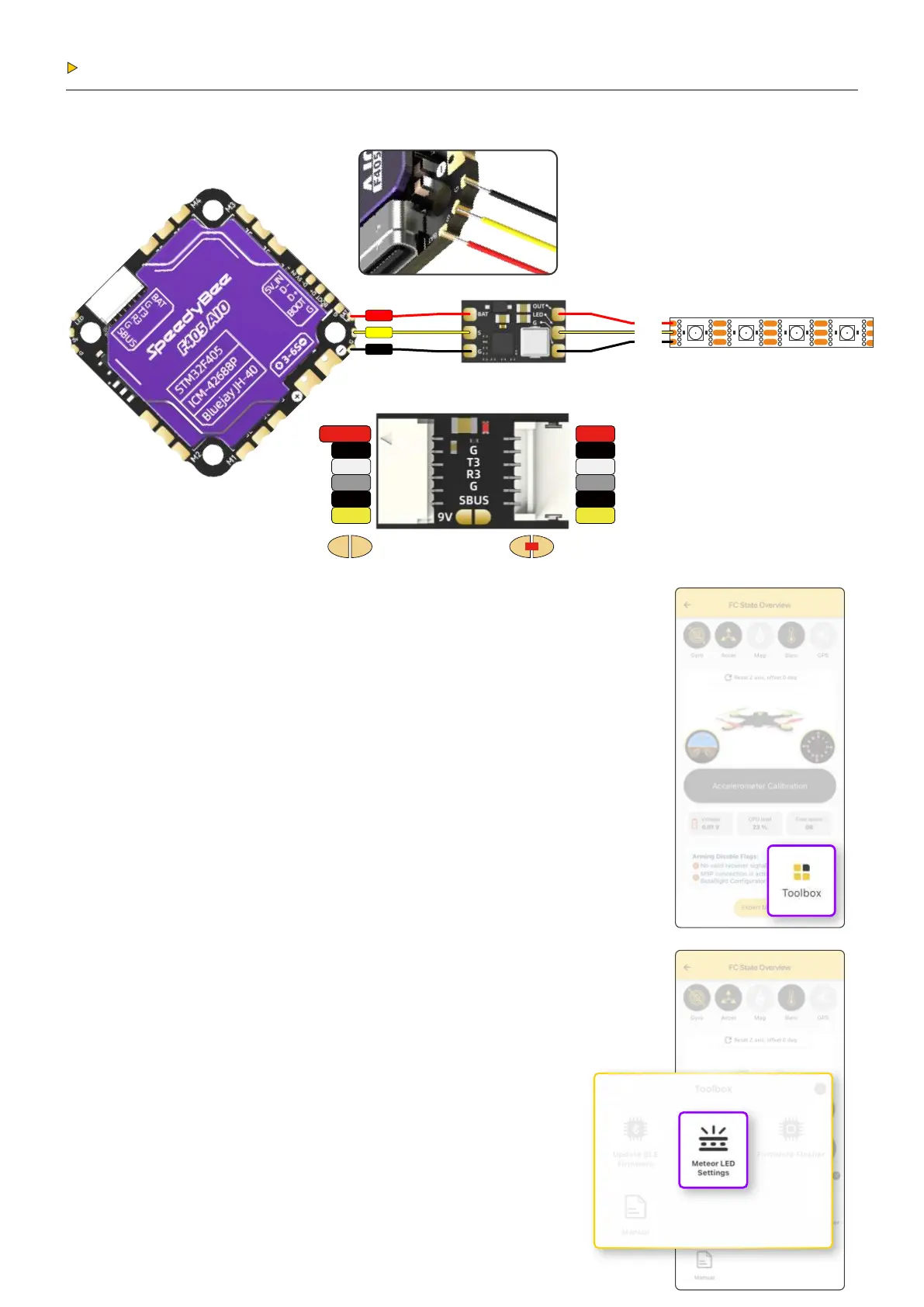
Meteor LED Function Instructions:
The F405 AIO supports Meteor LED function,
allowing multiple LED effects and status indicators.
Users can customize the LED effects via the
SpeedyBee App.
Operation Steps:
1. Connect to the F405 AIO via the SpeedyBee App.
2. Go to the “Toolbox” at the bottom right corner
of the App interface and select “Meteor LED Settings”
to start customizing.
Additionally, the F405 AIO supports remote control
for the Meteor LED (LED LOW channel needs to be
enabled in the mode setting).
Operation Methods:
1. Switch Control:
Set the channel corresponding to the "LED LOW"
mode to the high position to turn off the meteor
light strip; conversely, setting it to the
low position will turn it on.
2. Effect Switching:
Quickly toggle the channel corresponding to the
"LED LOW" mode once to switch the
Meteor LED effects.
Peripheral Connection
Meteor LED Strip Connection:
2.1
BAT
S
GND
BAT
GND
T3
R3
GND
SBUS
5/9V_OUT
GND
T3
R3
GND
SBUS
The voltage of the external BEC
can be switched between 5V and 9V.
By default, it outputs 5V, and by
short-circuiting the two pads,
it will output 9V.
Default output: 5V
Optional output: 9V


 To Next Page