Visit https://www.spektrumrc.com/MyAccount/Register.aspx today to register your product.
Spektrum SRXL2
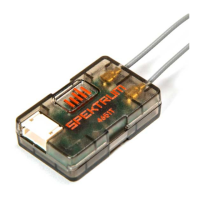
The SPM4650 uses SRXL2™ to communicate with flight controllers. SRXL2 is a serial communication protocol (a bi-
directional data link, one signal wire can communicate all control and telemetry). Previous Spektrum serial receivers
were based on 1st generation Spektrum remote receiver protocol, which is not compatible with SRXL2.
To learn more about the features & benefi ts of SRXL2 visit http://SRXL2.com
Installation Instructions
Wiring for the receiver can be directly soldered to the SPM4650 or the included 4-pin connector can be soldered onto
the receiver and used to make the connection to the flight controller.
1. Connect the receiver to your flight controller as shown in the diagram below.
2. Install the active portion of the antennas (the exposed section at the end of the antenna wire) as far as possible
from metal, carbon fi ber, and wiring.
WARNING: Do not kink, cut or damage the antenna wire. The antenna is made of a coaxial wire; if the outer
sheath becomes damaged, the receiver will not work properly.
Binding
The SPM4650 requires a 3.3V – 8.4V volt power supply from the flight controller.
1. Press and hold the bind button on the receiver.
2. Power on the aircraft. The orange LED will begin flashing.
3. Put the transmitter into bind mode. The bind process is complete when the orange LED on the receiver is solid.
Alternatively the SPM4650 receiver may be put into bind mode through the flight controller interface.
Warranty and Service Contact Information



 To Next Page