6
1.3.4 Low battery alarms
The ToxiPro is designed with two battery
warning alarms that are activated when the
battery voltage is reduced to specific levels.
For more details on the battery alarm, see
section 2.5 below.
1.3.5 Missing sensor during startup
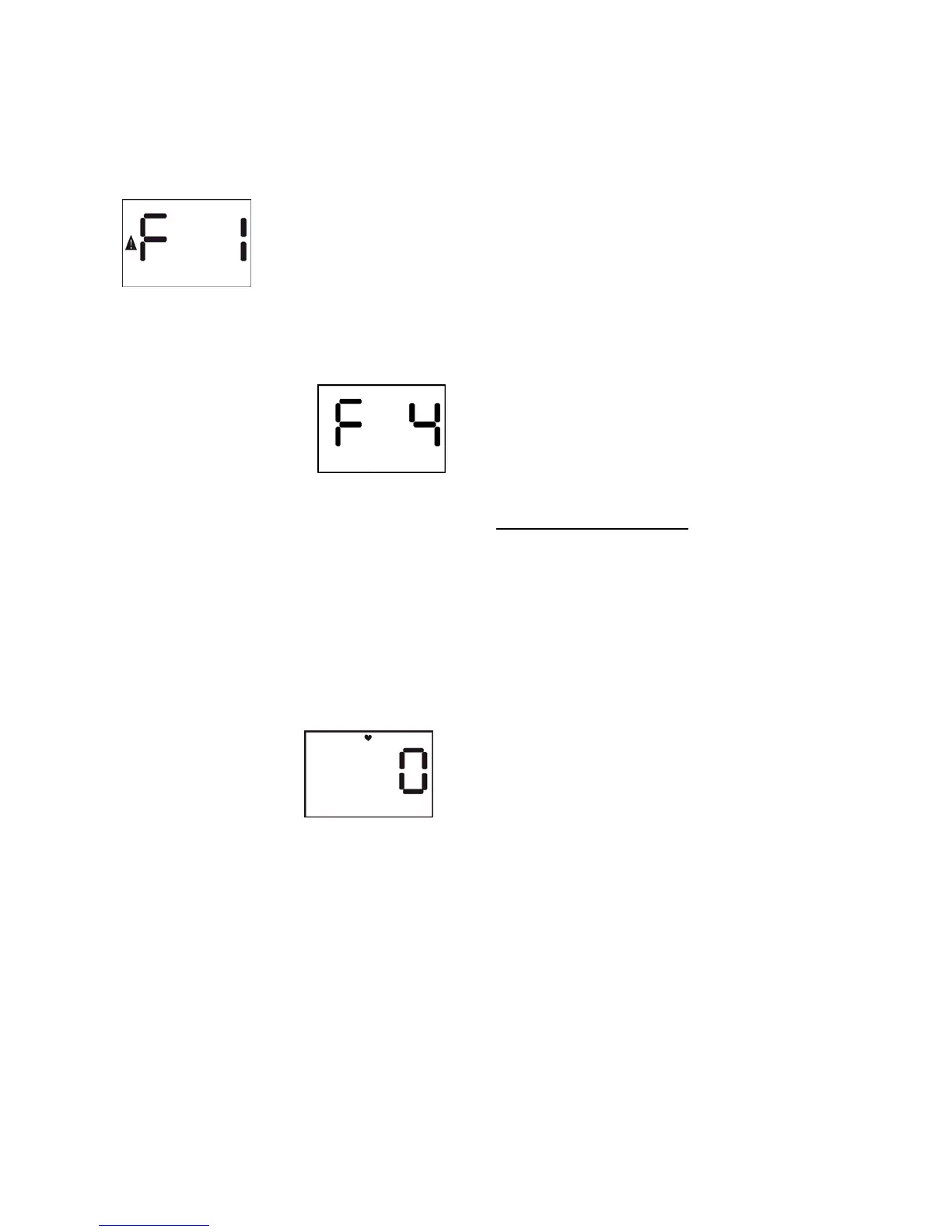
If the ToxiPro fails to detect
a sensor during startup, it will show “F 1” with
the caution symbol and then shut itself off.
For more details, see section 2.1.
1.3.6 Corrupt memory
The ToxiPro
continuously monitors its
onboard memory. If the
instrument determines
that the memory is
corrupt, it will display “F 4” and proceed to
shut itself off.
If “F 4” is displayed, contact Honeywell
Analytics for further details.
1.3.7 Vibrating Alarm Error
If the vibrating alarm fails “F 6” will be shown
on the display. Contact Honeywell Analytics
for further details.
1.3.8 Heartbeat Feature
A blinking heart is an active indicator,
notifying the user that the instrument is
operating normally.
1.4 Functions
1.4.1 Security beep
The ToxiPro includes a security beep that can
be enabled or disabled with BioTrak software
through the PC’s IrDA port. If the security
beep is enabled, the ToxiPro will emit a short
beep coupled with an LED flash at a specific
interval to remind the user that the instrument
is active.
1.4.2 Latching alarms
The ToxiPro includes latching alarms that can
be enabled or disabled with BioTrak software
through the PC’s IrDA port. With the alarm
latch enabled, the audible and visible alarms
will continue to sound even after the
atmospheric hazard has cleared. To turn the
alarm off once the hazard is no longer
present, simply press the MODE button.
1.4.3 Enhanced Latching Alarm
Note: V9.20 or greater ToxiPro firmware and
V8.00 or greater is required of all IQ System
software to support the Enhanced Latching
Alarm.
The enhanced latching capability can be
enabled for the danger alarm using an IQ
System template and apply the template in
ToxiPro IQ Express.
The user can specify the duration for latching
of the Danger alarm. When the instrument
goes into the danger alarm for greater than or
equal to the user defined duration for latching
then the alarm is latched.
When the alarm is latched and if the gas level
goes below the alarm level, the audible and
visual alarms will continued.
If alarm latching is enabled and the
instrument is in alarm for less than the
latching duration, the alarm will not latch
when the gas level drops below the alarm
level.
Latch Acknowledgement
A latched alarm latch can be acknowledged
by two methods. The first is either by mode
press or inserting the instrument into the
dock. The second is by dock insertion only.
The method is selectable in the IQ System
template.
Note: For more information on creating
and assigning templates, please refer to
the Database Manager Reference manual.
1.4.4 Silence warning alarms
The ToxiPro’s audible and vibrating (if so
equipped) alarms can be turned off during an
alarm condition by pressing the MODE button
if this function has been enabled with BioTrak
software. The visual warning alarm light and
readings will continue to indicate the alarm.
1.5 IQ Dock Compatibility
The ToxiPro must be equipped with
instrument firmware version 4.30 or higher to
be compatible with the IQ Express Docking
Station. The IQ Express Dock is an
automatic calibration station coupled with a
data management system. The IQ Express
Dock must be equipped with firmware version
6.53 or higher. Instrument firmware in the
ToxiPro may be upgraded at any time. See
section 5.2 below for details on software
upgrades.


 To Next Page