8
Once the ToxiPro recognizes the sensor, it
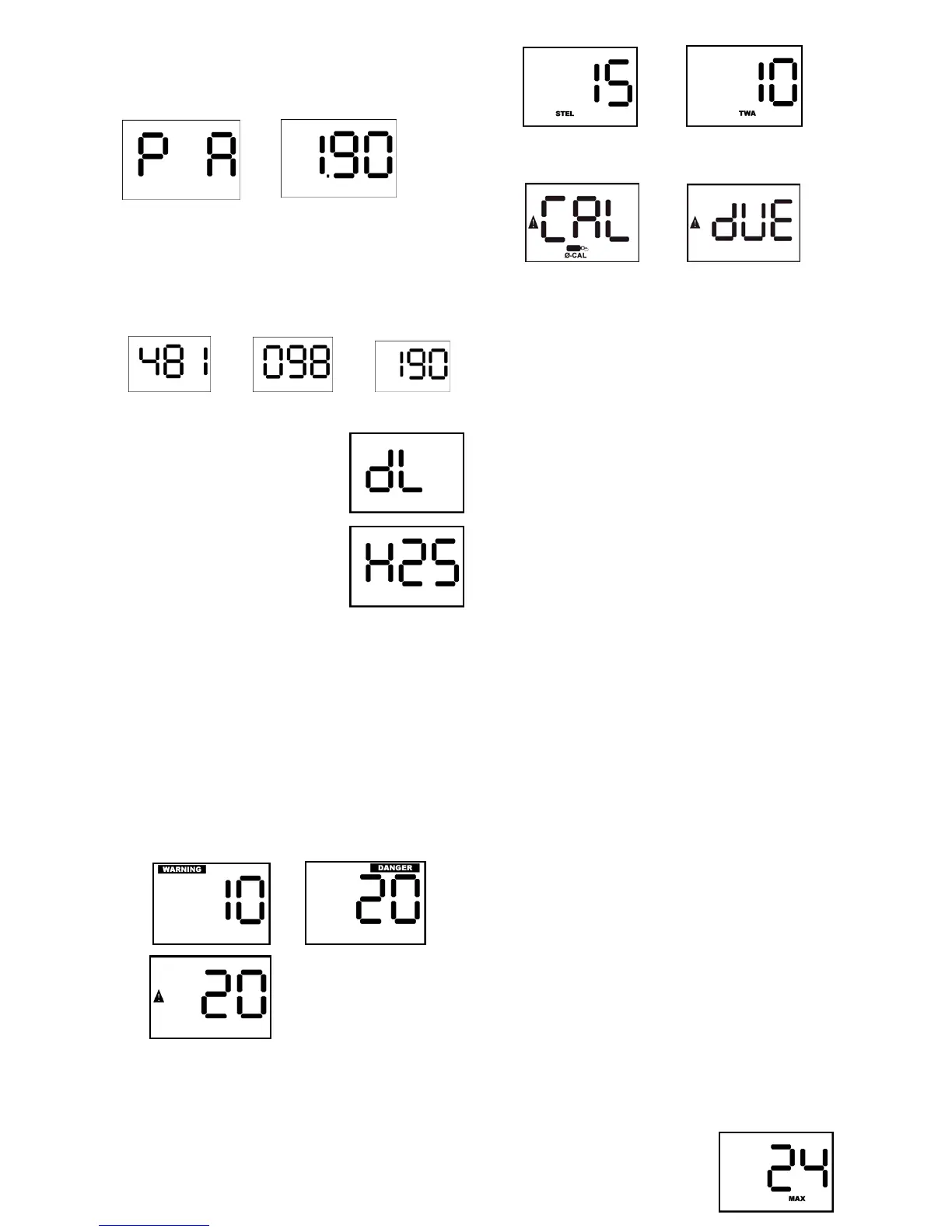
will display the software version using two
screens.
→
The serial number screens will then be
shown: Note that the 9 digit serial number
can not fit on a single screen, so it is shown
on three screens. In this case, the instrument
serial number is 481098190.
→
→
Datalogging versions will then show the “dL”
screen.
Once the sensor is
recognized, the instrument
will display the sensor type.
The warning alarm level will
then be displayed, followed
by the danger alarm level.
During the display of the
warning alarm level, the LED
alarm light will be flashed
twice and the audible warning alarm will be
sounded twice.
During the display of the danger alarm level,
the LED visual alarm will be flashed twice and
the audible danger alarm will be sounded
twice. The frequency of the audible danger
alarm is higher than the frequency of the
audible warning alarm. The custom alarm if
enabled is displayed similar to the danger
alarm, but the LCD has the triangular warning
symbol without the Danger or Warning
symbol.
→
For ToxiPro instruments with a toxic sensor
and with the STEL and TWA alarms enabled,
the ToxiPro will briefly show the STEL and
TWA alarm levels.
→
If the calibration due reminder is enabled and
calibration is due, the following screens will
be shown.
→
Press the MODE button to acknowledge the
calibration due reminder. If the instrument
shuts off when the MODE button is pressed
with “cal due shown”, then the ToxiPro is
configured with calibration due lockout
enabled.
See section 2.1.1 below for more details
on the calibration due lockout function.
The Calibration Due Reminder and Lockout
functions may be enabled or disabled with
BioTrak Software.
The current gas readings screen will then be
shown. Toxic sensor models should show 0 if
the instrument is located in fresh air. Oxygen
sensor models should show 20.9 in fresh air.
In normal operation the screen alternates
between gas reading and sensor type.
2.1.1 Calibration due lockout
When the ToxiPro’s calibration due lockout
function is enabled and calibration is due, the
calibration due warning will be shown at
instrument start up and can not be bypassed.
The instrument must be calibrated
immediately before it will show any gas
readings. The calibration may be performed
manually, or by placing it in an IQ Express
Dock. Upon successful calibration, the
ToxiPro will proceed to the current gas
readings screen.
The calibration due lockout function can be
enabled or disabled with BioTrak software.
2.2 Backlight
The ToxiPro includes a backlight that is
automatically turned on during an alarm
condition. The backlight can also be
manually activated while the current gas
reading is displayed by pressing the MODE
button once. When manually activated, the
backlight will automatically turn itself off in
about twenty seconds. If activated by an
alarm condition, the backlight will remain on
until the instrument is no longer in alarm.
2.3 Functions
From the current gas
reading screen, press the
MODE button once to


 To Next Page