1.6.3. Website Configuration!
An administrator of your account can configure the GPIO at any time from the
go.spidertracks.com website. They need to login to the organisation settings of the organisation
the Spider is registered.
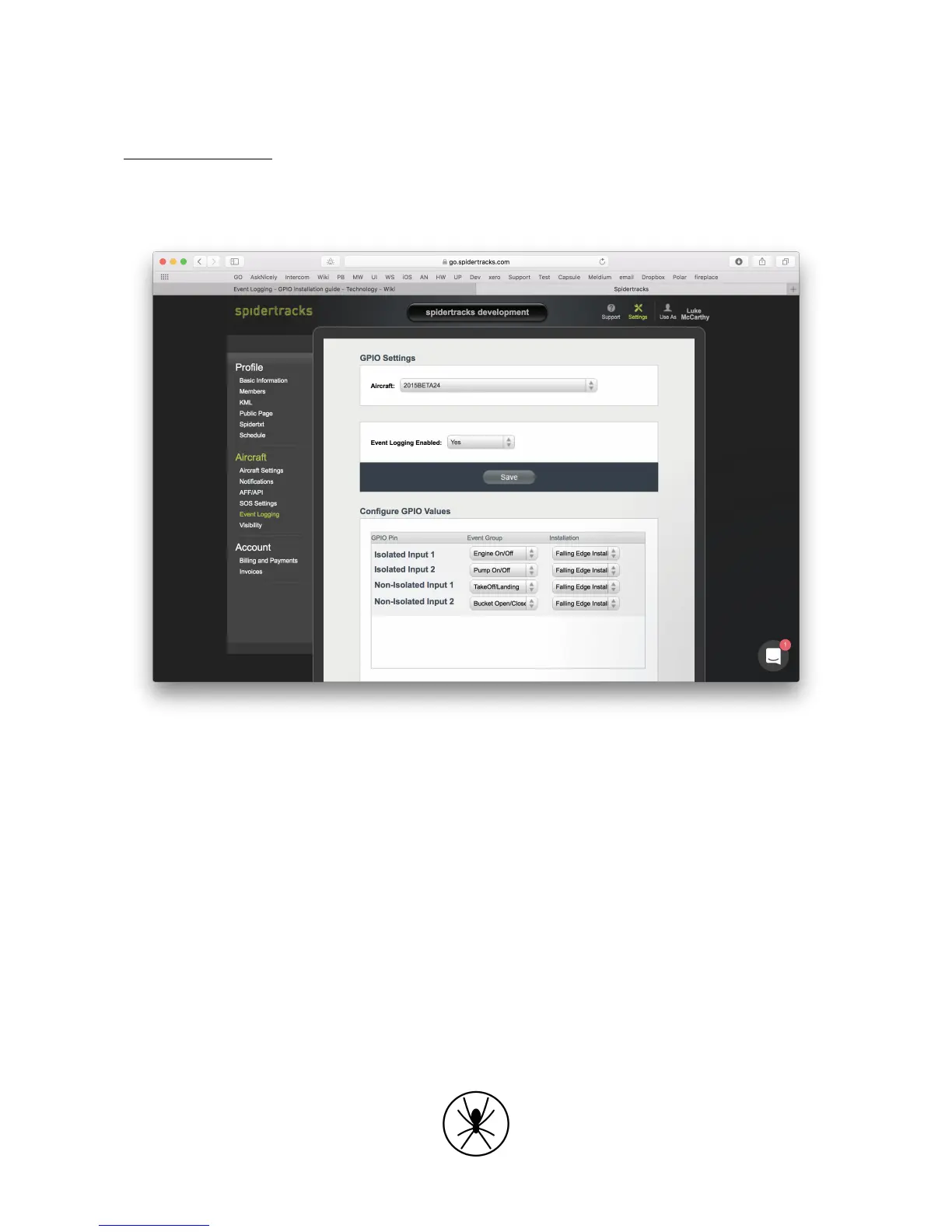
Go to Event Logging menu on the left hand menu bar.
Figure 4. Event Logging and GPIO setup on go.spidertracks.com
Under GPIO Settings select an aircraft to configure. Note, the aircraft must have a Spider 8
assigned to it. If this is not already configured it can be done from the Aircraft Settings page.
Select Event Logging Enabled to yes and save to turn the GPIO on. Once saved you will be able
to select the Event Groups and whether it is rising edge or falling edge triggered. You don’t need
to configure all four pins. The following event groups are currently available:
• Engine On / Off
• Take Off / Landing
• Pump On / Off
• Tank Open / Close
• Bucket Open / Close



 To Next Page