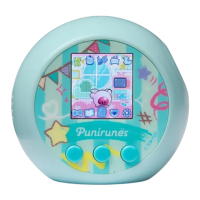
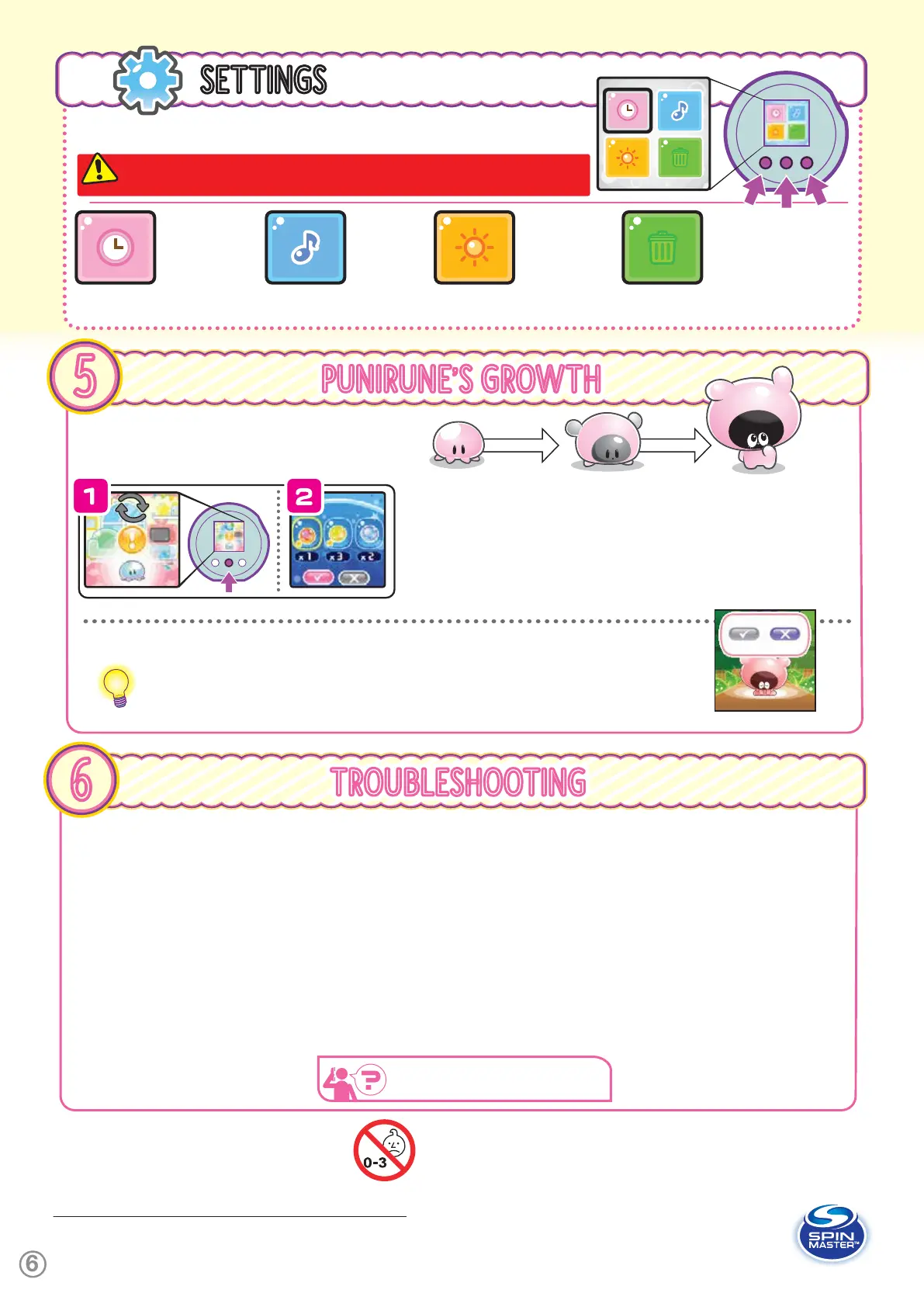
You can change various settings like Date, Time, Volume and Screen Brightness. Scroll
through the icons by pressing A. Then press B to select the highlighted icon.
TIME -
You can
change the date,
time, and skin tone
you input in 2.
DEFAULT
SETTINGS.
VOLUME -
Choose from
4 different
volume
settings.
BRIGHTNESS -
Choose from 3
different screen
brightness
settings.
RESET ALL - This option
DELETES ALL OF YOUR
PLAY DATA and returns your
Punirunes to factory settings.
To Reset All,
choose
ü
, then
press C 3
times while holding down A.
SETTINGS
0
A
B
C
� UNIT DOES NOT TURN ON
The power might turn off sometimes, even if the battery replacement screen doesn’t appear. Replace the batteries by following section
1. INSTALLING THE BATTERIES.
� NOTHING APPEARS ON THE SCREEN, THE SCREEN IS FROZEN OR MALFUNCTIONING
Hold down B for at least 3 seconds, turn the power OFF and then turn the power ON again. If this does not resolve the issue, perform a reset
by following page 1, RESETTING THE PUNIRUNES™ POD.
NOTE: If normal function of the product is disturbed or interrupted,
strong electromagnetic interference may be causing the issue. To reset
product, turn it completely off, then turn it back on. If normal operation
does not resume, move the product to another location and try again. To
ensure normal performance, change to new alkaline batteries, as low
batteries may not allow full function.
TROUBLESHOOTING
6
SAFETY PRECAUTIONS: Parental guidance is recommended for the play.
CARE AND MAINTENANCE: Always remove batteries from the toy when it
is not being used for a long period of time. Wipe the toy gently with a clean
damp cloth. Keep the toy away from direct heat. Do not submerge in water
to avoid damaging electronics.
FOR TROUBLESHOOTING QUESTIONS AND SOLUTIONS, VISIT OUR WEBSITE: WWW.SPINMASTER.COM
© TOMY/PUNI,TVO
a
WARNING: CHOKING HAZARD
— Small parts. Not for children under 3 years.
Patent information : patents.spinmaster.com.
TM & ©2024 Spin Master Ltd. All rights reserved.
Patent information : patents.spinmaster.com.
TM & ©2024 Spin Master Ltd. All rights reserved.
MADE IN CHINA
Spin Master Ltd. reserves the right to discontinue
the www.spinmaster.com website at any time.
Spin Master Ltd., 225 King Street West, Toronto ON M5V 3M2 Canada
Spin Master International B.V., Kingsfordweg 151, 1043 GR Amsterdam, NL
Spin Master Toys UK Ltd. Meridian House, Fieldhouse Lane, Marlow, Buckinghamshire, SL7 1TB, UK
Spin Master Inc., PMB #10053, 300 International Drive, Suite 100, Williamsville, NY 14221
Spin Master Australia Pty Ltd, Level 9, 205 Pacific Highway, St Leonards, NSW 2065
a
CAUTION: Batteries to be installed by adults only
This product is originally designed and manufactured by TOMY Company
Ltd., and distributed by Spin Master Ltd.
PUNIRUNE’S GROWTH
5
B
1.
TIME TO EVOLVE! - When the “SQUISH’N’MIX” symbol appears on the screen,
it’s time for your Punirune to evolve! Press B.
2.
Evolve your Punirunes by mixing with a Seed. The type and color of your
Punirune will depend on the Seed you choose.
MAGIC SQUISHY - To evolve your Kid into an Adult, combine a Magic Squishy
with a Seed. You can get a Magic Squishy when your Baby evolves into a Kid. They
come in different shapes and won’t disappear after you use them.
When your Punirune’s Friendliness becomes full, they will leave for the Forest after some time. If you
want to say goodbye to them, choose
ü
. If you want them to stay with you, choose
û
.
TIP: When you say goodbye to a Punirune, they might leave behind a Gift. You can check the Gifts
you’ve received in the (7) Bookshelf.
PUNIRUNES HAVE 3 STAGES OF GROWTH:
BABY KID ADULT
SAYING GOODBYE TO YOUR PUNIRUNES:
NOTE: ONCE YOU DELETE DATA USING THE RESET ALL OPTION, YOU CAN’T GET
IT BACK. BE SURE TO ONLY USE THIS OPTION WHEN YOU REALLY NEED TO.
WWW.SPINMAS TER.COM


 To Previous Page
 Loading...