SPINNING® STUDIO CONSOLE OWNERS MANUAL
15
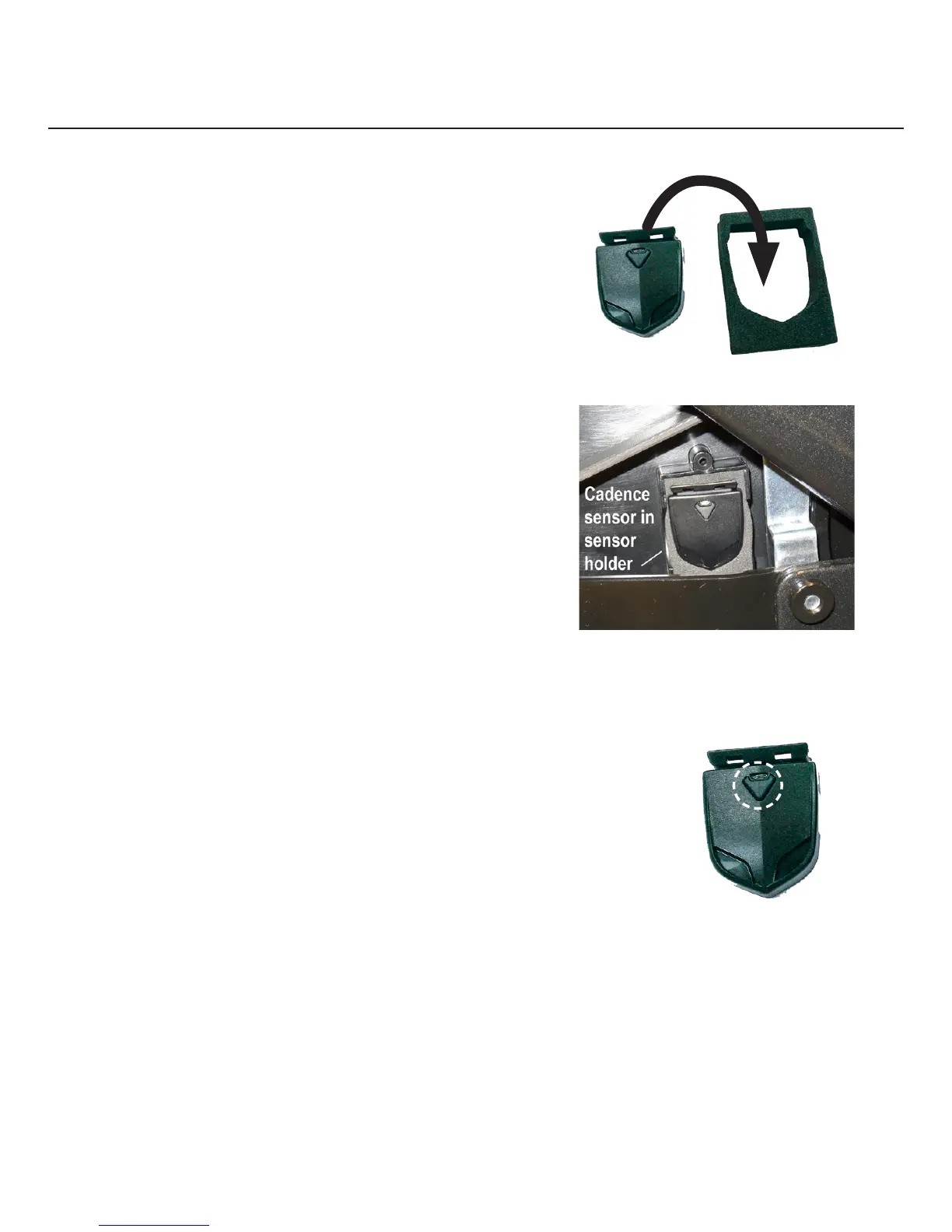
Cadence Sensor Installation 3. Press the cadence sensor into
the foam holder (Figure 4).
4. Press a strip of double stick
adhesive to the back of the
cadence sensor and foam
holder to cover the battery
access cap.
5. Gently press the cadence sensor
and foam holder into the designated
sensor holder (Figure 5).
Figure 5
Test the cadence sensor synchronization
using the following procedure.
To check the synchronization and complete installation:
1. Press the Reset button on the sensor (Figure 6).
2. Loosen the resistance knob, mount
the bike, and begin pedaling.
3. On the console, verify that the rotating rate is correct.
Note A green light will flash on the sensor to confirm
synchronization between the sensor and magnet. If the sensor
does not sync, refer to Customize Console Settings.
4. Reattach the cover.
Figure 4
Figure 6


 To Next Page