14
Cadence Sensor Installation
The Spinning® Studio Console tracks your cadence (measured in RPM) and
distance. To track this information, you must attach the cadence sensor to
the Spinner® bike.
To mount the magnet on a Precor Spinning bike:
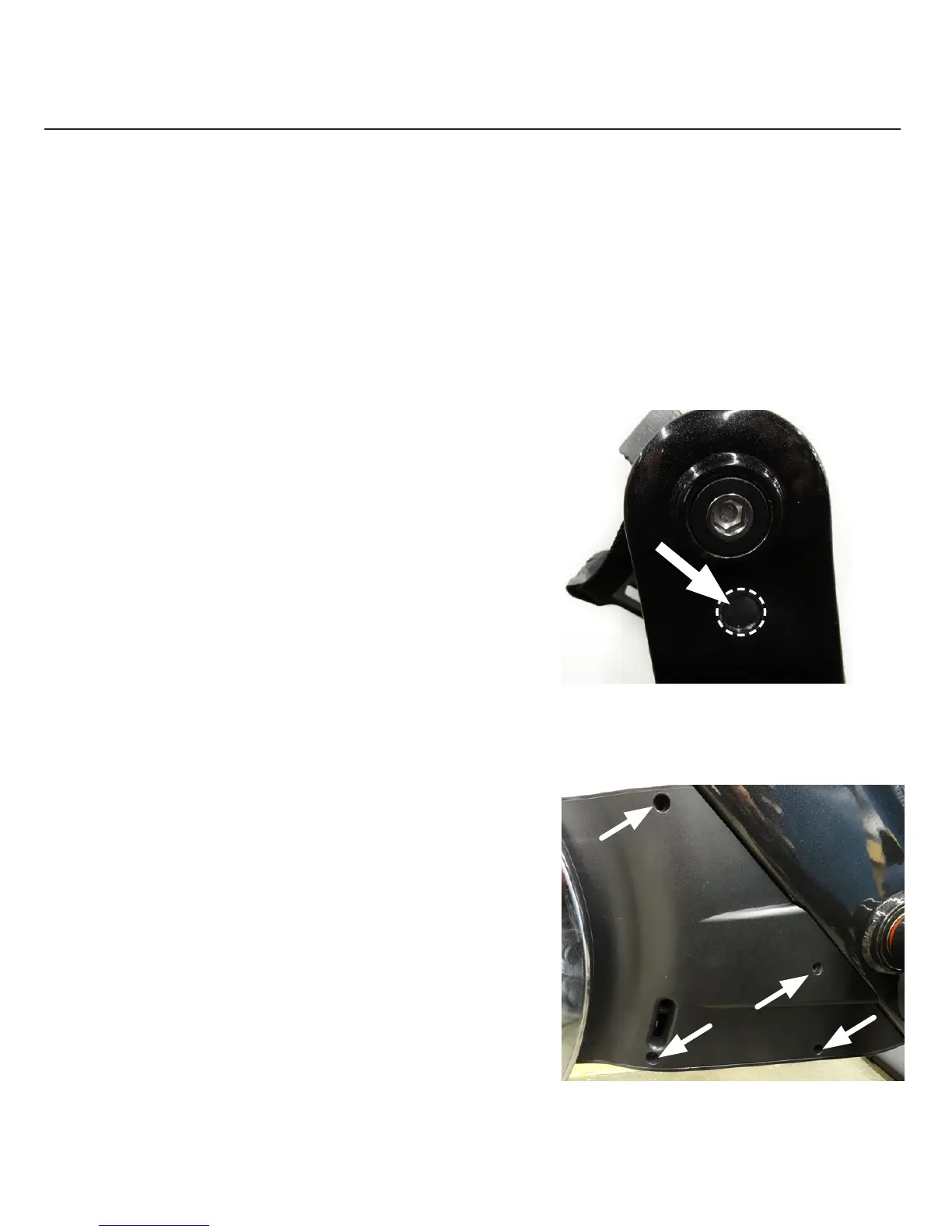
1. Using a clean cloth, wipe the inside
of the crank arm and magnet pocket
(Figure 2) to remove dust or dirt.
2. Place the magnet into the magnet
pocket and secure it using the
magnet-holding shim.
To install the sensor:
1. Lock the flywheel and pedals
by turning the resistance knob
clockwise.
2. Remove the cover by removing
the four screws (Figure 3).
Figure 2
Figure 3


 To Next Page