6.3 Changing the USB Comport in Windows Device Manager
One some laptops, Windows will install the USB on a Com Port higher than 10. This is a Windows
driver problem and then the Com Port is not detected automatically. You need to change it to
lower than 11. Follow these steps:
1. Left click on Start (left bottom)
2. Right Click on My Computer (or in desktop My Computer)
3. Click on Properties
4. Click on Hardware
5. Click on Device Manager
6. Click on Ports (Com & LPT)
7. Right Click on Prolific USB to Serial Com Port (Com 11or higher)
8. Click on Properties
9. Click on Port Settings
10. Click on Advance
11. Select a Com Port lower than 11 (if all is in use choose 5 to 10 and press OK)
12. Click on OK and close
6.4 Memory operation of the TCU
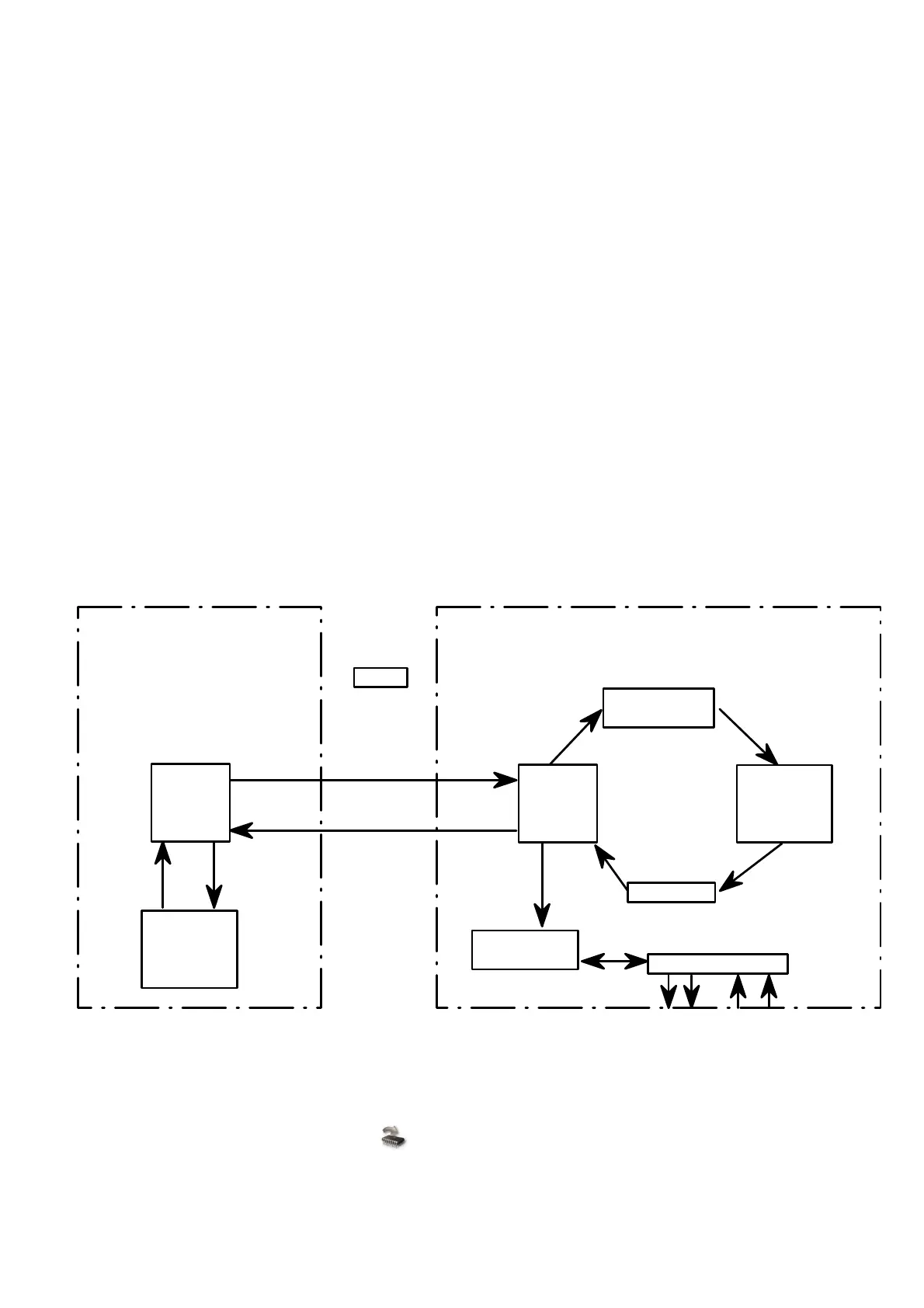
The figure below indicates how the TCU operates with temporary and permanent memory. When
the TCU is powered up, it will take the data profiles from the permanent FLASH memory and save
it in the temporary RAM memory. This RAM is used by the processor for operation and the Laptop
for tuning. When the user changes the profiles, the processor will immediately start working with
the new data changed in the RAM.
FLASH
Permanent
Storage
Memory
RAM
Tempory
Working
Memory
RAM
Tempory
Working
Memory
Hard Disk
Permanent
Storage
Memory
RS232
TCU
Laptop
Write to TCU
button
Power On
Processor
Maps in Use
Outputs & Inputs
Save
Load
Changes
Read from
TCU
6.4.1 Saving data in the TCU
Once the user is satisfied with his changes he must save his changes in the FLASH memory in the
TCU, by pressing the Write to TCU button. Now the data is stored permanently and the
ignition can be switched off. If he does not save this data in flash, all his changes will be lost when
the TCU power is switched off. When data is written to the TCU flash, the processor will cut-out for
about half a second. Remember that each profile is saved separately on the PC and in the TCU.



 To Next Page