EasyManua.ls Logo

Spivi Studio - Chapter 2: Unpacking the Spivi System

Spivi Studio
7 pages
Print Icon
To Next Page IconTo Next Page
To Previous Page IconTo Previous Page
Loading...
3
CHAPTER 2: UNPACKING THE SPIVI SYSTEM
Open the box to expose the system and packaging.
Remove all items from the box including foam inserts.
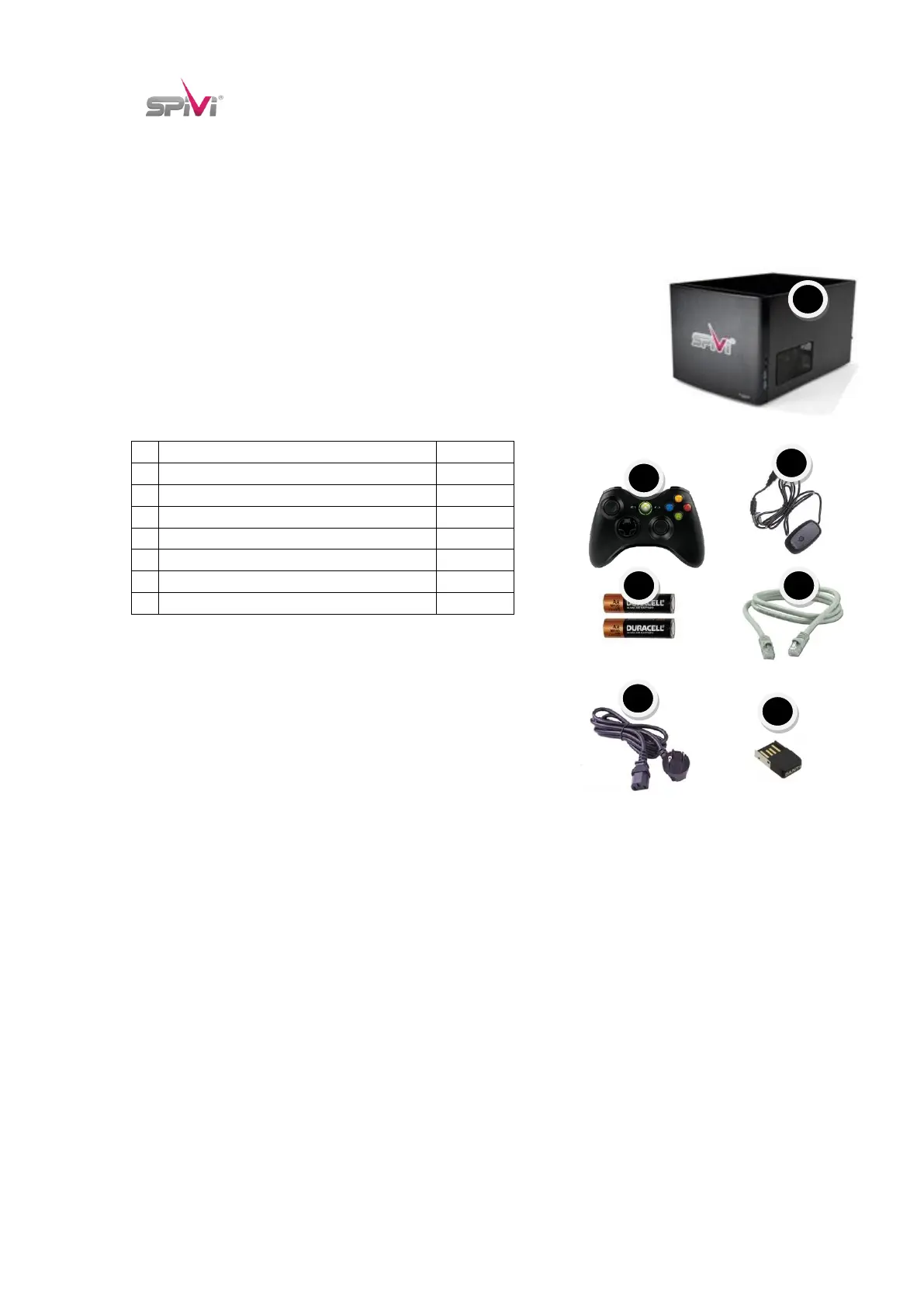
Ensure all the following items are included:
Name
Quantity
A
Spivi Rendering Server (Computer)
1
B
XBOX Controller
1
C
XBOX Controller Wireless Receiver
1
D
AA Battery for XBOX Controller
1
E
CAT5 Network Cable
1
F
Power Cord
1
G
BLE USB Stick
1
Additional tools that may be helpful:
- Zip ties

B
A
A
A
C
A
D
A
E
A
H
A
I
A
K
A
L
A
F
A
G
A