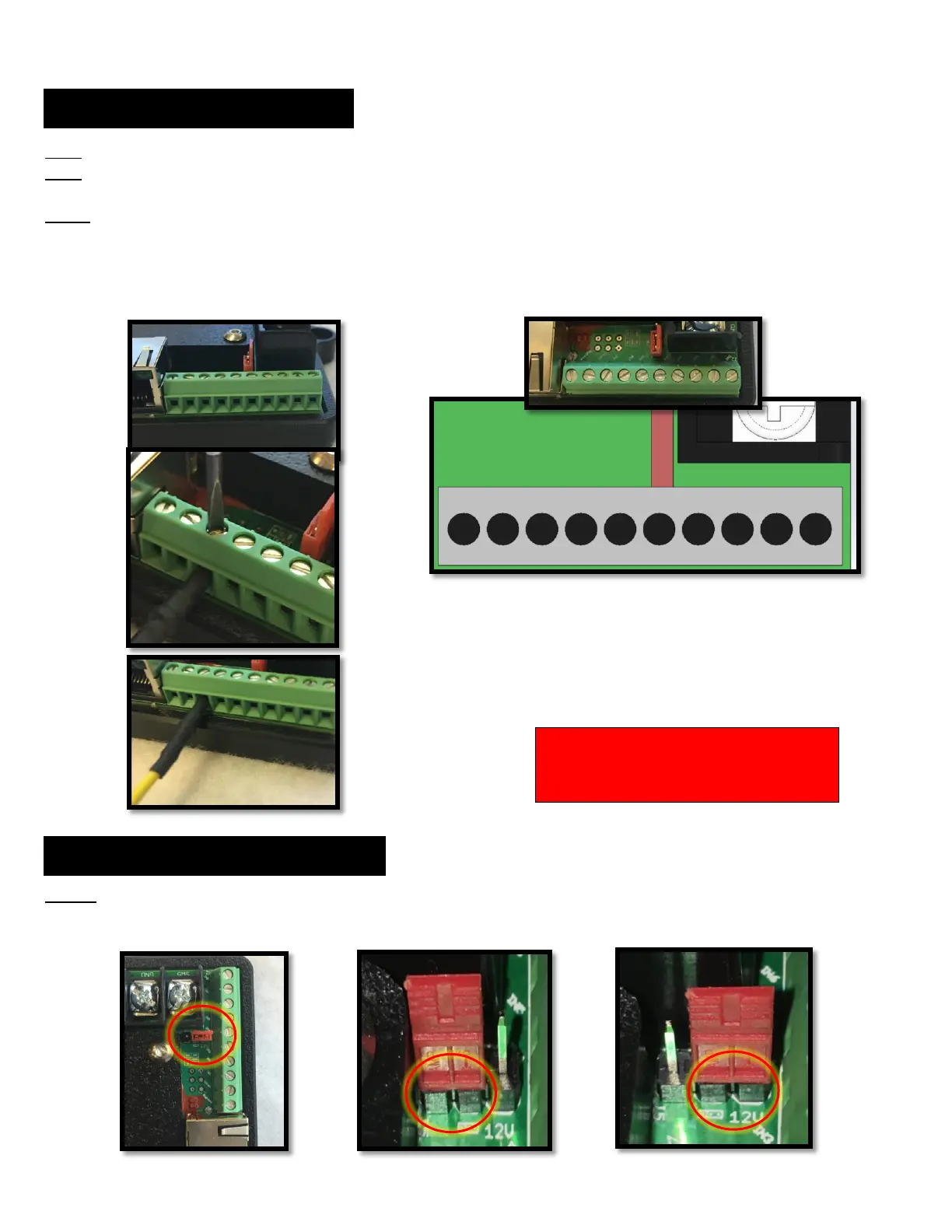
INPUT 1: Use this input to disable the low voltage cut off by attaching 12/24v from a positive power feed. This will override the LVCO.
INPUT 2: Use this input to activate the Key-On/Lock-Out function from a source of 12v/24v from a positive power feed, such as a fuse
or circuit that is live when the ignition key is on. (NOTE) ALWAYS attach to input first, then attach to the power last to avoid a short.
INPUTS 3-10: Use these inputs to activate any of the switches (outputs 1-8) by an external device that has a 3.3 – 24VDC signal.
EXAMPLE: Outputs can be controlled by external devices such as, but not limited to:
Thermostats, Alarm systems, Sending units, Sensors, Limit switches, Pressure switches, Remote switches,
Arduino, Raspberry Pi and many more devices that utilize ground or positive triggers ranging from 3.3VDC – 24VDC
JUMPER: Use this jumper to switch the 8 inputs between Positive trigger input and Ground trigger input. (NOTE: this applies to all 8 inputs)
!!! CAUTION !!!
ALWAYS ATTACH TO INPUT TERMINAL
BLOCK FIRST, THEN ATTACH POWER SIDE



 To Next Page
 Loading...