GREEN – The message light blinks green if SPOT sent the most recent message.
RED – The message light blinks red if SPOT didn’t send the most recent message.
GREEN – The GPS light blinks green if SPOT sees the GPS satellites and is
looking for / has found your GPS location.
RED – The GPS light blinks red if SPOT cannot see the GPS satellites and/or
can’t find your GPS location. (If the GPS light blinks red, you should move to a
location with a clearer view of the sky.)
GPS LIGHT — Notifies you whether SPOT is able to see the GPS satellites
and obtain your GPS location.
MESSAGE SENDING LIGHT — Notifies you whether or not your most recent
message was transmitted.
POWER LIGHT — Press the power button to turn SPOT on; LED’s will illuminate.
Press and hold the power button until it blinks rapidly to turn SPOT off.
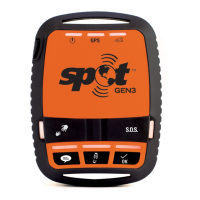
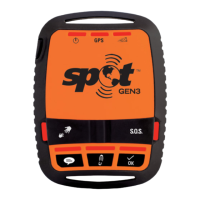
This Quick Reference Guide is here to help you learn the many functions of your SPOT Gen3.
USING SPOT GEN3
Enjoy the extended battery life of
your SPOT Gen3. There are multiple
options to powering your SPOT. For
more details on battery usage, visit
FindMeSPOT.com/Gen3.
4 AAA Energizer
®
Ultimate Lithium 8x batteries (L92)
4 AAA Energizer
®
NiMH rechargeable batteries (NH12)
Line Power with a 5v USB connection
POWER OPTIONS
GREEN – Batteries are good.
RED – Change batteries as soon as possible.
IMPORTANT: YOUR SPOT REQUIRES AN ACTIVE SPOT SERVICE SUBSCRIPTION
TO COMMUNICATE. SPOT GEN3 FEATURES, INCLUDING S.O.S., WILL NOT WORK
WITHOUT FIRST ACTIVATING YOUR DEVICE. VISIT FINDMESPOT.COM/ACTIVATE
TO GET STARTED.
SPOT needs a clear view of the sky to obtain a GPS signal and provide the most
accurate location information. It is not reliable indoors, in a cave or in very dense
woods. Sunshine is more fun anyway!
Orienting SPOT so that the SPOT logo is facing up toward the sky will improve
performance, as the antenna is located under the logo. The coolest adventurers place
SPOT on their backpacks.
Keep SPOT at least 12 inches away from other GPS devices, as SPOT can interfere
with signal reception of other GPS devices.
Take advantage of our 2½, 5, 10, 30 and 60 minute tracking options to track your
progress at varying rates; learn more during activation.
Before you head out, send a test Check In message to evaluate the operational
conditions and ensure successful receipt of your message.
Before you start, here are a few important things to remember to get maximum reliability from SPOT:
IMPORTANT SPOT INFORMATION


 To Next Page
 Loading...