4
AT FINDMESPOT.COM
WHAT YOU NEED
• Personal contact information
• Emergency contact information
• Valid email address
• Credit card information
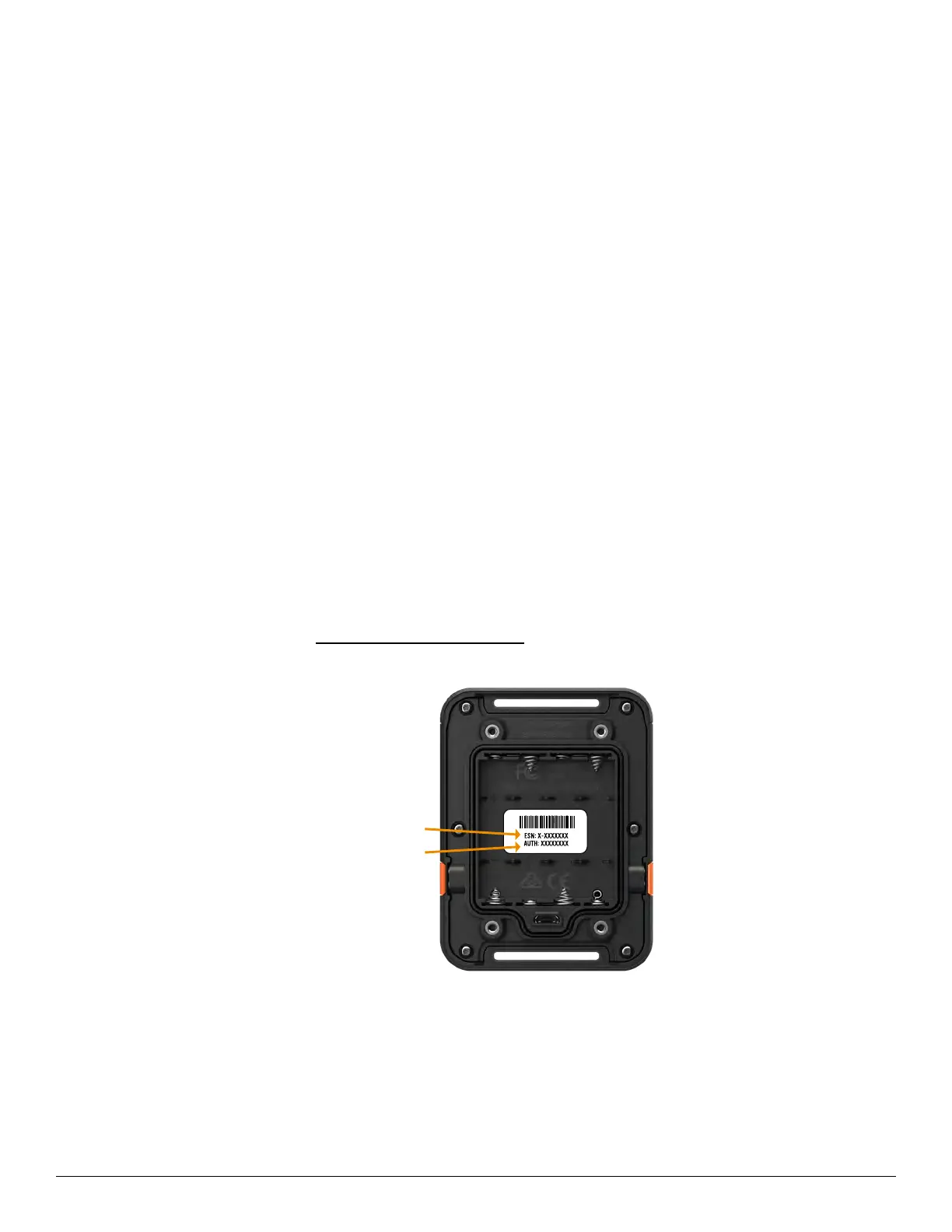
• SPOT electronic serial number (ESN) and authorization code
ACCOUNT SETUP
1. Go to FindMeSPOT.com/Activate.
2. Existing SPOT customers should login to their current SPOT My Account to add their new device. New
customers will need to select: New Account Activation.
3. Follow the instructions given within the activation portal; do not skip forms or pages.
4. Choose the services you wish to add to your SPOT Gen4 and confirm your order to finish the
activation process.
SERIAL NUMBER
(
ESN
)
AND AUTHORIZATION CODE
ese codes are located inside the battery compartment of your SPOT Gen4. You will need these codes
when setting up your account on FindMeSPOT.com/Activate.
SERIAL NUMBER (ESN)
AUTHORIZATION CODE


 To Next Page