6
To turn your tablet on or o, press and hold the power key for 2
seconds. (Refer to page 1 for its location.)
Charging
Power On/Off
The Sprout Channel Cubby uses a lithium polymer battery. It’s
recommended that you charge the device for a full 6 hours
before its first use.
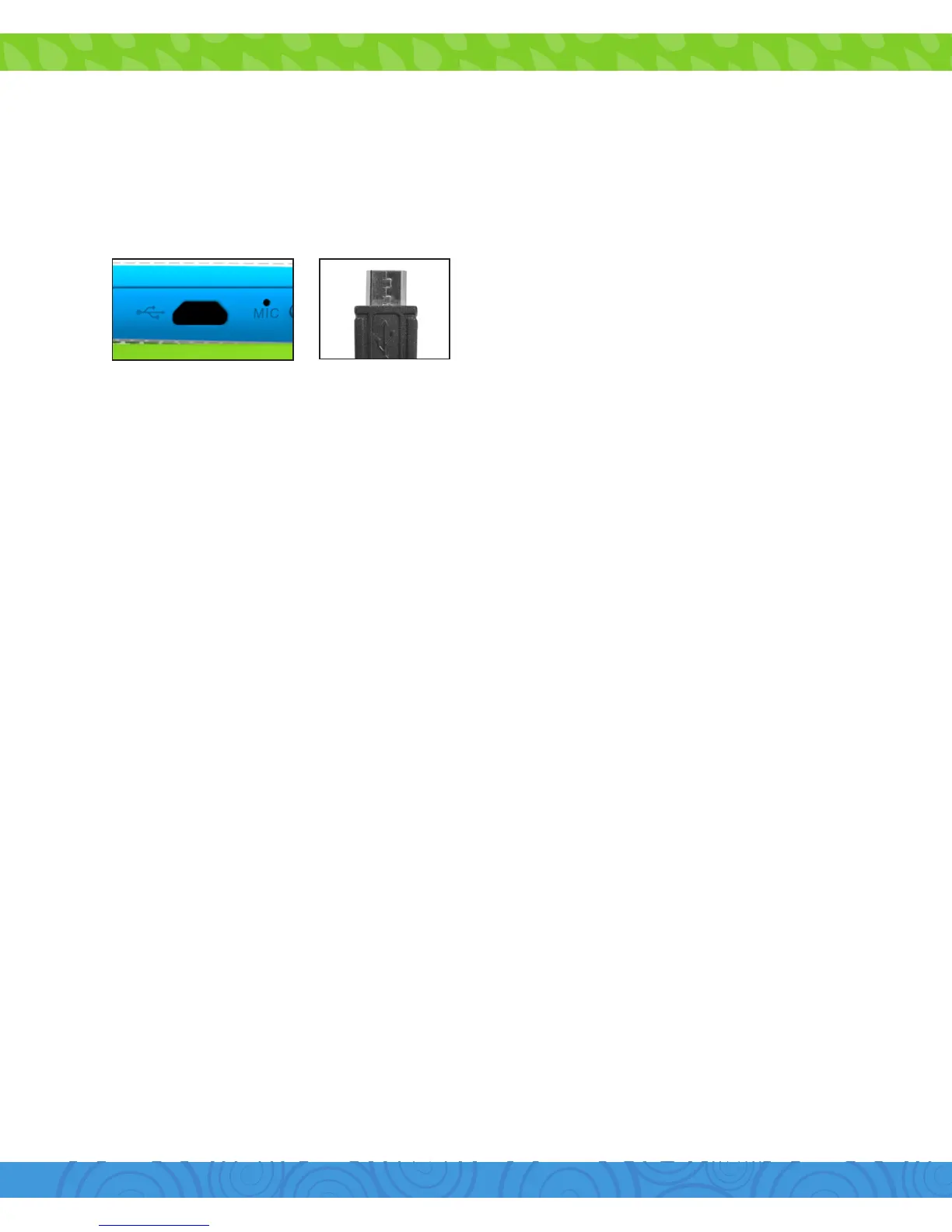
Always use the provided USB
charger.
The battery indicator will show
that your device is charging.
Note: Using the USB port on your computer will take longer to
charge your Sprout Channel Cubby. It’s recommended that you
use the provided wall charger.
(Refer to page 2 for its location on an active screen. If your device has lost all power,
a battery will appear for a few seconds confirming that it’s charging.)
Sign in using the email address and password from your
Google account. If you don’t have one yet, you will have to
create one by using a computer and visiting gmail.com, clicking
on “Create an account”, and filling out the required information.
An email address that you use for any of the following counts
as a Google Account:
•Gmail™
•YouTube™
•GoogleApps™
•AdWords™
•AnyotherGoogleproduct
Setting Up Your Google Account


 To Next Page