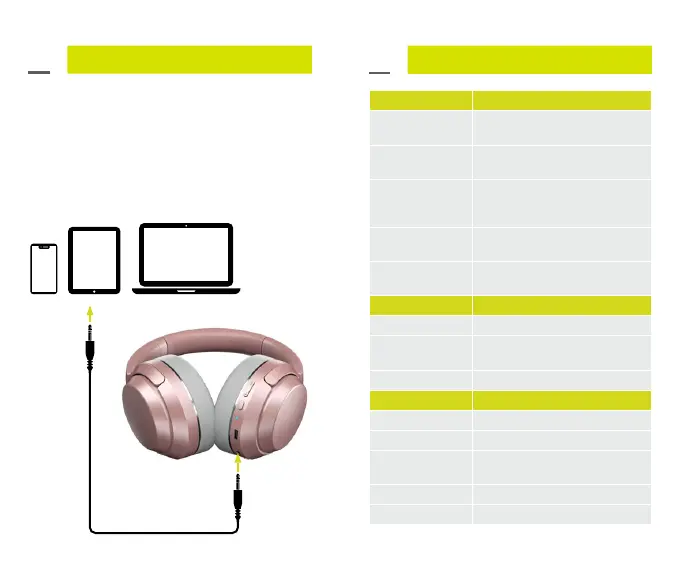
Connecting via AUX:
Connect your Invoke Headphones to a
smartphone, tablet or other audio device
using the AUX cable provided.
Quick Start Guide
Quick Start Guide
03.
03.
Media Controls
Increase volume
Short press the volume increase
button
Decrease volume
Short press the volume decrease
button
Next track
Press the volume increase button
for 1 second
Previous track
Press the volume decrease button
for 1 second
Play / pause
Short press the multi-function
button
Phone Calls
Accept call Short press multi-function button
End call
Short press multi-function button
when on a call
Reject call Long press multi-function button
LED Indicator
Charging Red light stays on
Fully charged Red light turns off
Pairing mode
Red and blue light flash
alternately
Pairing successful Blue light flashes every 5 seconds
Power off Red light stays on for 2 seconds
0908



 To Next Page