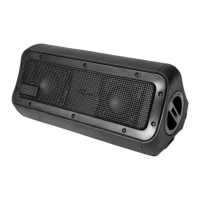
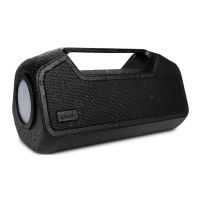
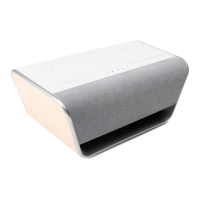
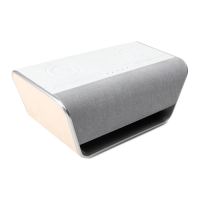
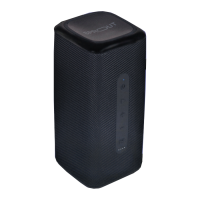
The Sprout Maverick Hybrid is a versatile 3-in-1 device that combines a Bluetooth speaker, a wireless charger, and a power bank. Designed by Sprout, an Australian brand focused on enhancing technology accessories for productivity and leisure, this device aims to add value to your daily life.
Function Description:
The Maverick Hybrid serves three primary functions:
- Bluetooth Speaker: It allows users to play music wirelessly from their mobile phones or other music devices.
- Wireless Charger: It provides convenient wireless charging for Qi-compatible devices with an output of up to 10W.
- Power Bank: With its internal battery, it can recharge a variety of devices via USB-C or USB-A ports.
Important Technical Specifications:
- Unit Size: 190 x 79 x 31 mm (L x W x H)
- Weight: 400g
- Speaker Output: Total 10W
- Frequency Range: 20Hz - 22kHz
- Power Source: 3.7V 10050mAh lithium battery
- Playtime: Approximately 20 hours from a full charge at 50% volume level
- Charging Time: Approximately 4 hours (supports PD 3.0 fast charging)
- Bluetooth: V5.1
- Operating Temperature: 0°C to 40°C
- USB Type-C Charging Input: 5V/3A, 9V/2A
- USB Type-C Charging Output: 5V/2A
- USB Type-A 2.0 Output: 5V/2A
- Wireless Charging Output: 10W (max)
Usage Features:
Charging the Maverick Hybrid:
To charge the device, connect the supplied USB Type-A to USB Type-C charging cable into the Maverick Hybrid's USB Type-C port and the other end into a power source. Power source options include a Sprout AC power adapter, a Sprout car charger, or a computer/notebook USB connection. A standard AC wall charger is required but not included. White LEDs indicate the charge level, and a full charge takes approximately 4 hours.
Powering On/Off and Battery Level:
- Wireless charging + Powerbank mode: Short press the power button.
- Speaker + Wireless charging + Powerbank mode: Press and hold the power button for three seconds.
- To check the battery level, press the power button once. The battery LED indicator will turn off automatically after 30 seconds if there's no power input/output.
- The speaker will announce "Low Battery" when the battery level reaches 10%. At this point, wireless charging and USB charging will be disabled until the battery is completely drained or the device is plugged in to charge.
LED Indicator:
- A single blue LED indicator flashes when the Maverick Hybrid is switched on.
- When flashing red and blue, the device is in Bluetooth pairing mode.
- The battery LED indicator flashes from one to four LEDs while charging, stopping once fully charged.
- 4 white lights: Battery 100%
- 3 white lights: Battery 75%
- 2 white lights: Battery 50%
- 1 white light: Battery requires recharge
USB Charging Output:
Connect your devices using a USB Type-C or USB Type-A cable into the available USB ports on the Maverick Hybrid to recharge them using its 10050mAh internal battery.
Wireless Charging:
Press the power button once to activate the power bank, then place your Qi-certified phone vertically on the wireless charging symbol (transmitter side) on the Maverick Hybrid. It provides up to 10W of power output.
Bluetooth Pairing:
- Press the power button for approximately three seconds. The single LED will flash blue/red, indicating it's ready for pairing. If not, hold the UNISYNC button for 5 seconds to initiate Bluetooth pairing.
- Turn on Bluetooth on your mobile phone/music device.
- Select "Maverick Hybrid" from the list of available devices.
- Once connected, you will hear "Bluetooth connected."
- The Maverick Hybrid stores the last paired device and will automatically connect if it's within Bluetooth range.
Play/Pause/Answer:
Press the play/pause/answer button to play or pause songs and answer mobile phone calls.
UNISYNC Mode:
This feature allows you to connect your Maverick Hybrid as a primary device and then connect up to 50 other UNISYNC compatible devices as replicas.
- To enter UNISYNC Mode, short press the UNISYNC button on your primary device.
- Once the primary announces it's in UNISYNC Mode, repeat the action on other devices.
- After a replica announces it's in UNISYNC Mode, press the UNISYNC button once more for the replica to announce it's using UNISYNC Audio.
- The primary speaker will show a solid blue light, while replicas will show a flashing red and blue light.
- To disable UNISYNC, press the UNISYNC button again. If disabled, the Maverick Hybrid will disconnect from but remember the replicas.
- To reset the UNISYNC function and make the Maverick Hybrid "forget" all replica devices, press and hold the UNISYNC button for five seconds.
Maintenance Features / Important Safety Information:
- Keep Dry: Never place the Maverick Hybrid in water.
- Temperature: Do not store in very hot or cold areas. Use at room temperature only.
- No Modification: Do not open, modify, repair, or remove any original components. Repair work must be carried out by a qualified technician.
- Battery: Do not remove the built-in battery.
- Wireless Charging: Do not place metal objects or magnets between the mobile device and the wireless charging surface.
- Discontinue Use: Stop using the Maverick Hybrid immediately if it bulges, leaks, or smells, and contact the manufacturer for service.
Consumer Guarantee:
Sprout products come with consumer guarantees under Australian Consumer Law, entitling users to replacement or refund for major failures and compensation for foreseeable loss or damage. For issues with product quality or performance, users can contact the point of sale or Sprout directly via www.sproutinc.com.au or sproutenquiries@sproutinc.com.au. The Maverick Hybrid Speaker is warranted to the original owner for 24 months from the date of purchase against defects in material and workmanship under normal use and service. The warranty does not cover misuse, and liability will not exceed the purchase price.

 Need help?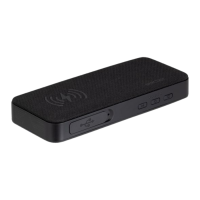

 To Next Page
 General