Need help?
Do you have a question about the Sprout SOUNDWAVE PRO and is the answer not in the manual?
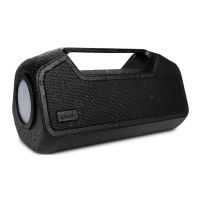
Describes the function and status of the main LED indicator light on the speaker.
Details the primary button for turning the speaker on and off, and initiating pairing.
Explains the function of the play button for media control and call management.
Describes the button used to increase audio volume and skip to the next track.
Details the button for decreasing audio volume and controlling track playback.
Explains the button for managing multi-speaker connections and Bluetooth resets.
Describes the indicator lights showing the remaining battery charge level.
Identifies the port for wired audio connections via a 3.5mm cable.
Details the port used for the powerbank feature to charge other devices.
Identifies the port for charging the speaker itself using a USB-C cable.
Instructions for powering the speaker on, off, and its auto-off feature.
Guide on how to connect the speaker using a wired 3.5mm audio cable.
Step-by-step instructions for pairing the speaker with a Bluetooth-enabled device.
Details how to charge the speaker using the USB-C port and explains the LED battery indicators.
Details functions for power, play, volume, and UNISYNC™ buttons, plus LED status meanings.
Guide on using the UNISYNC feature to connect multiple compatible speakers for synchronized audio.
Information on using the speaker's USB-A port to charge external devices.
Instructions on how to connect two Bluetooth devices simultaneously to the speaker.

 To Next Page
 General