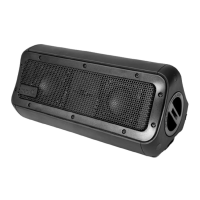
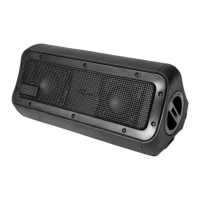
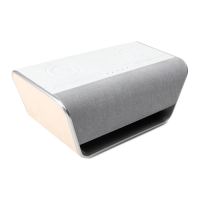
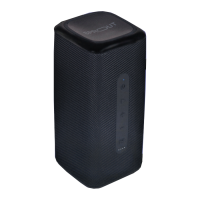
The Sprout Nomad Alpha Bluetooth Speaker is a robust and versatile audio device designed for both indoor and outdoor use. As an Australian-owned brand, Sprout aims to inspire new and better experiences by designing products that enhance digital life. The Nomad Alpha is a testament to this mission, offering a blend of powerful audio, extensive connectivity, and durable construction.
Function Description
The Nomad Alpha serves primarily as a portable Bluetooth speaker, allowing users to play music wirelessly from their mobile phones or other music devices. Beyond its core audio function, it integrates several additional features that enhance its utility:
- Powerbank: With a large 15,600mAh lithium battery, it can charge other devices via its USB-A output (5V/2.4A) or wirelessly through its Qi-compatible charging pad (up to 10W output).
- LED Flashlight: A built-in LED flashlight offers multiple lighting modes, including normal brightness, highlights, slow flash, and quick flash, making it useful in various environments.
- UNISYNC Mode: This unique feature allows users to connect one Nomad Alpha as a primary speaker and then link up to 50 additional UNISYNC-compatible devices as replicas, creating a synchronized multi-speaker audio experience.
- Microphone: The inclusion of a microphone suggests potential for hands-free calling when connected to a mobile phone.
- Aux-in: For devices without Bluetooth, a 3.5mm auxiliary cable connection provides an alternative audio input.
Important Technical Specifications
The Nomad Alpha boasts impressive specifications that underscore its performance and durability:
- Dimensions: 280 x 140.5 x 150.5 mm (L x W x H)
- Weight: 2kg
- Output Power: RMS 40W, providing substantial audio output for its size.
- S/N Ratio: 85db +/- 3db, indicating clear audio reproduction with minimal noise.
- Frequency Range: 90Hz - 20 kHz, covering a broad spectrum of audible frequencies.
- Power Source: 11.1V, 15600mAh lithium battery, offering significant power capacity.
- Playtime: Approximately 10 hours from a full charge at 75% volume level, ensuring extended use.
- Charging Time: Approximately 8-10 hours for a full charge.
- Bluetooth: BT 5.0 version + EDR, providing stable and efficient wireless connectivity.
- Operating Temperature: -10°C to 55°C, indicating resilience across a range of climates.
- Durability:
- Drop Proof: To 2 metres, suggesting robust construction against accidental falls.
- Waterproof: IP67 rating, meaning it can be submerged in water up to 1 metre for 30 minutes without damage.
- Dustproof: IP67 rating, protecting against ingress of dust.
- Shock Proof: Further enhancing its ruggedness.
- Charging Inputs/Outputs:
- USB Type-C Input: Supports 5V/3A, 9V/3A, 12V/2.5A, 15V/2A for charging the speaker itself.
- USB 2.0 Output: 5V/2.4A for charging other devices.
- Wireless Charging Pad: Up to 10W output for Qi-compatible devices.
Usage Features
The Nomad Alpha is designed for intuitive and versatile use:
- Quick Start Guide:
- Unlocking/Locking Side Panel Cap: The side panel cap, crucial for maintaining dust and waterproofing, is unlocked by turning anti-clockwise and lifted to detach. To lock, place the cap over the input panel and turn clockwise until tight. The device is only dust and waterproof when this cap is properly closed.
- Charging: The speaker is charged via a USB Type-C cable connected to a power source (Sprout AC adapter, car charger, or computer USB). Blue LEDs indicate the charge level, with four lights signifying 100% and one red light indicating a need for recharge.
- Auxiliary Cable Operation: Music can be played by connecting an Aux-in audio cable from a device to the Nomad Alpha.
- Bluetooth Pairing:
- Switch on the main power switch.
- Press the power button for approximately three seconds; the LED will flash blue/red.
- Enable Bluetooth on your mobile device.
- Select 'Nomad Alpha' from the list of available devices.
- A "Bluetooth connected" audio prompt confirms successful pairing.
- If the LED is not flashing, hold the UNISYNC button for 5 seconds to initiate pairing.
- The speaker stores the last paired device and will automatically search and pair if within range.
- Controls:
- Play/Pause/Answer: A dedicated button for playing/pausing music and answering calls.
- Volume Control: Short presses of '-' decrease volume, and '+' increase volume.
- Track Control: Long presses of '-' select the previous song, and '+' select the next song.
- Power Button: Turns the speaker on or off. Note that the main power switch on the side panel must be 'ON' for the power button to operate.
- LED Flashlight Button: Hold for 5 seconds to turn on/off. Subsequent presses cycle through modes: normal brightness, highlights, slow flash, and quick flash.
- Extra Controls:
- UNISYNC Mode:
- Short press the UNISYNC button on the primary device to enter UNISYNC Mode.
- Repeat on replica devices.
- Once replicas announce they are in UNISYNC Mode, press the UNISYNC button again on the primary device.
- The primary speaker will show a solid blue light, while replicas will show a flashing red and blue light.
- Pressing the UNISYNC button again disables UNISYNC.
- Holding the UNISYNC button for five seconds resets the function, making the Nomad Alpha "forget" all replica devices.
- Wireless Charging: Place a Qi-compatible device on the wireless charging pad. The main power switch must be on for wireless charging to function.
- Main Power Switch: Located on the side panel, this switch must be in the 'ON' position for the Nomad Alpha to be operational and for the power standby function to work.
Maintenance Features
Proper care and maintenance are essential for the longevity and performance of the Nomad Alpha:
- Waterproofing and Dustproofing: The IP67 rating ensures the speaker can withstand submersion up to 1 metre for 30 minutes and is dustproof. However, it is not intended for constant underwater use.
- Side Panel Cap: Always ensure the side panel cap is clean, free of debris, and properly fitted and locked before use to maintain its waterproof and dustproof integrity. Water ingress due to an improperly closed cap will void the warranty.
- USB Cables: The included USB cables are NOT waterproof and should not be exposed to water.
- Post-Submersion Care: If audio is muffled after submersion, gently shake the Nomad Alpha to clear excess water.
- Saltwater Exposure: If exposed to saltwater, thoroughly clean the speaker with fresh water immediately after use. Avoid applying excessive force to any surfaces when the device is wet.
- Rubber Seal Inspection: Periodically check the rubber seal for wear and tear. Clean the Nomad Alpha with a soft, moist cloth, ensuring no dirt, hair, or sand is on the rubber seal ring.
- Cleaning Agents: Do not use oily solvents or chemicals for cleaning, as these can damage the device.
Adhering to safety guidelines is crucial for preventing damage to the device and ensuring user safety:
- Charging When Wet: Never attempt to charge the Nomad Alpha if it is wet or if water is suspected to have seeped in. Thoroughly dry the device and all connections before opening the side panel cap and connecting to a power source. Failure to do so can result in electrical shock, fire, or damage, voiding the warranty.
- Charging and Use: Do not use the Nomad Alpha while it is charging.
- Heat Sources: Keep the Nomad Alpha away from open flames, heat sources, or excessive heat.
- Modification/Repair: Do not open, modify, repair, or remove any original components. Repair work must be carried out by a qualified technician. Removing the built-in battery or grill cover can damage the device and compromise its water resistance.
- Sound Levels: Ensure sound levels are appropriate for your environment and comply with local regulations. Be aware of your surroundings and potential hazards while enjoying your Nomad Alpha.
The Sprout Nomad Alpha Bluetooth Speaker is backed by a 24-month warranty against defects in material and workmanship under normal use and service, in accordance with Australian Consumer Law. For support, users can visit sproutinc.com.au or email sproutenquiries@sproutinc.com.au.

 Need help?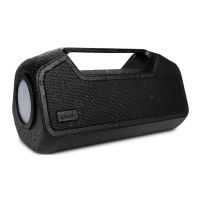

 To Next Page

 General