11
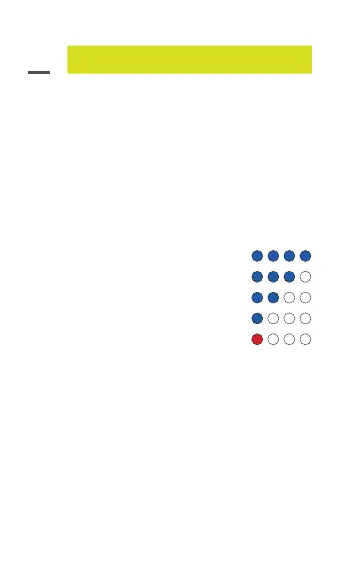
4 blue lights on: Battery 100%
3 blue lights on: Battery 75%
2 blue lights on: Battery 50%
1 blue light on: Battery 25%
1 red light on: Battery requires recharge
Extra Controls
04.
LED indicator
The single blue LED indicator will ash when Nomad
Alpha is switched on.
When it is ashing red and blue LED light, Nomad
Alpha is in pairing mode.
The battery LED indicator will ash from one to four
LEDs to indicate Nomad Alpha is charging. The lights
will stop ashing once Nomad Alpha is fully charged.
Flashlight
Turn on: hold ashlight button for 5 seconds
Turn off: hold ashlight button for 5 seconds
Brighter ash strobe: While ashlight is on, the
ashlight has a number of lighting options that can
be cycled through by clicking the ashlight button.
Additional lighting options include extra bright, ash
and strobe.


 To Next Page