Quick Start Guide Quick Start Guide
03. 03.
First use of earbuds
Place the two earbuds into the charging case and
then fully charge the case and earbuds before first
use. The recommended charging time is 1-2 hours.
Turn on/off
1. The earbuds will turn on automatically when taken
out of the charging case. To manually turn on,
press and hold the multifunction button on both
earbuds for 3 seconds.
2. The earbuds will turn off automatically when
placed back in the charging case with the lid
closed
*
.To manually turn off, press and hold the
multifunction button on both earbuds for
5 seconds.
*If you place earbuds in case and leave lid open,
they will remain connected to the paired device for
5 minutes before turning off.
Automatic pairing first time
The Stride TWS’s Bluetooth pairing will start
automatically when turned on for the first time.
Stride TWS will remember the last device
paired and if the device is within Bluetooth
range, Stride TWS will automatically
search and pair with the device.
Manual Bluetooth pairing
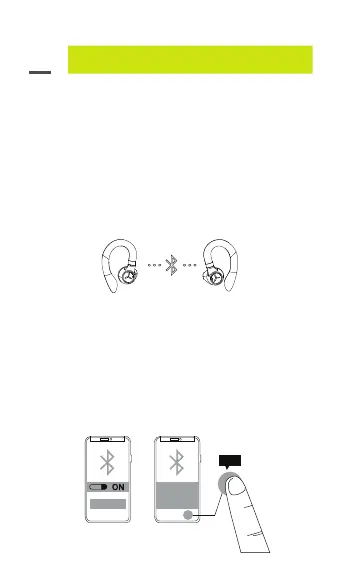
1. True Wireless stereo connection (earbud to earbud)
• LED flashing blue (both sides) –
True Wireless earbuds now in pairing mode.
• LED flashing blue/red (Stride TWS l)
LED turns off (Stride TWS ll) –
True Wireless earbuds now connected to
each other.
2. Bluetooth connection (earbuds to device)
• The earbuds will enter pairing mode when they
are turned on.
• LED flashing blue/red (Stride TWS I) LED turns
off (Stride TWS II) – pairing mode.
• LED turns off (both earbuds) – connected to
a device.
0706
Stride TWS I
Bluetooth Pairing Request
“Headset” would like to
pair with your iPhone
Cancel
PPaaiirr
Pair



 To Next Page