33
Sound recording/ External triggering • Camera
SOUND RECORDING
The SPYPOINT camera offers the possibility to record sound in VIDEO
mode. When the VIDEO mode is selected, the camera automatically re-
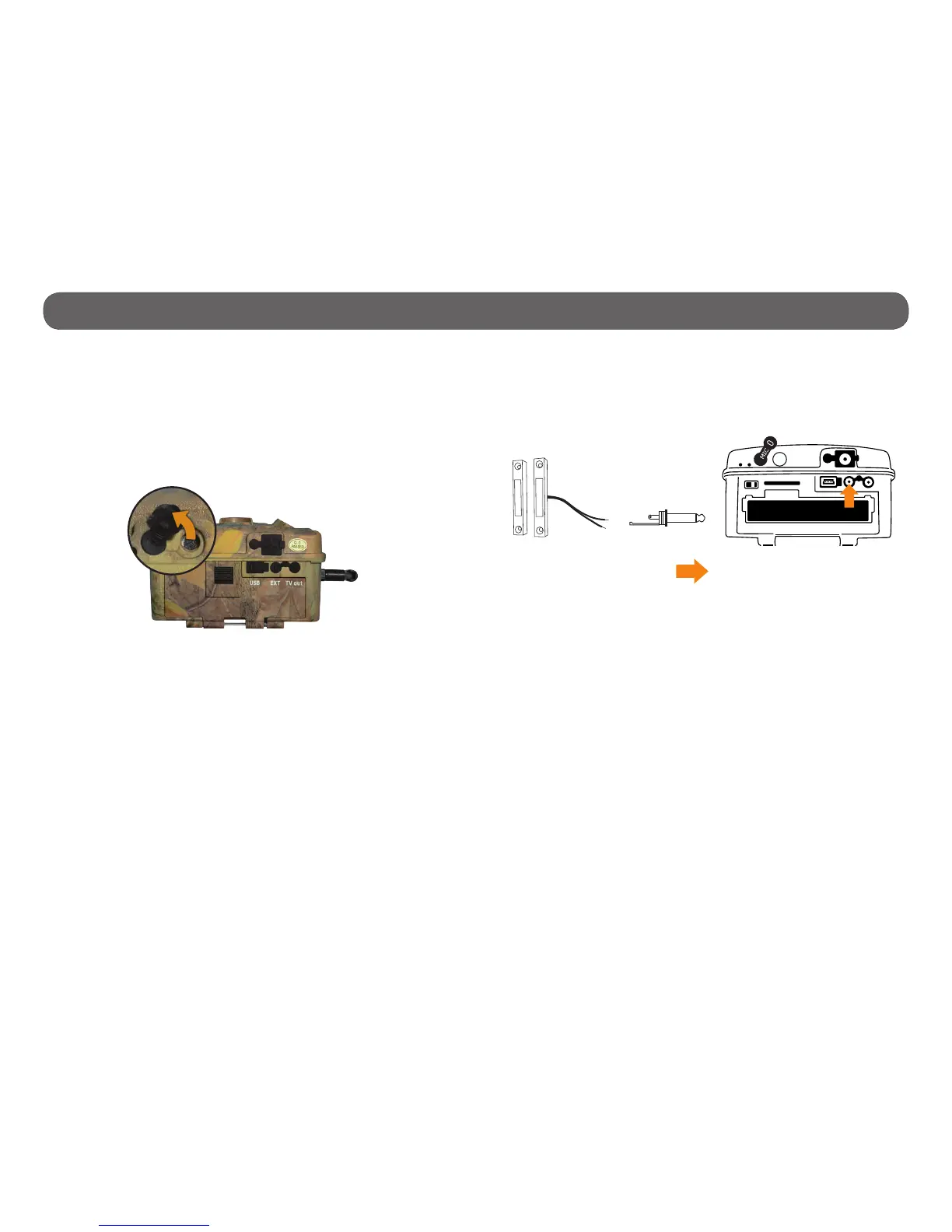
cords the sound. Under the camera, you will nd a rubber cap with the
inscription MIC. If the user does not want to record the sound, the rubber
cap needs to stay in place. If sound recording is required, the user must
lift the rubber cap and turn it slightly so that the microphone receiver is
completely cleared (See gure below).
EXTERNAL TRIGGERING
1/8" input which triggers the taking of photos or videos using a normally
open contact.
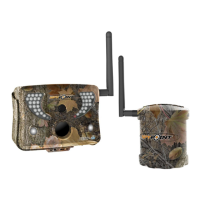
Example: Using a magnetic door contact connected to an alarm system (see
gure below). 1/8" Mono connector not included.
Weld the two wires of a
door contact to a 1/8"
mono connector.
Insert the connector in the
external trigger jack of the
camera.


 To Next Page