
 To Next Page
K
Keith KennedyJul 31, 2025
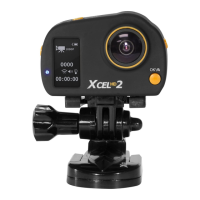
Why can't my computer play videos from my Spypoint XCEL HD Digital Camera?
- DDana DuncanJul 31, 2025
The .MP4 video format requires compatible video playback software like VLC, Windows Media Player, or QuickTime.

Why can't my computer play videos from my Spypoint XCEL HD Digital Camera?
The .MP4 video format requires compatible video playback software like VLC, Windows Media Player, or QuickTime.
What to do if the computer does not recognize my Spypoint Digital Camera?
First, verify that the camera is properly connected to the computer using the USB cable. Second, ensure that the camera is turned on.
Instructions for inserting and removing the microSD memory card.
Guide on installing the battery and turning the camera on/off.
Explanation of icons used in different operation modes.
Details on how to record videos, resolutions, and zoom.
How to take photos and use the time-lapse feature.
How to view recorded files and connect to a TV.
How to navigate menus and select video, photo, or time-lapse modes.
Setting the date/time and configuring remote control options.
Step-by-step guide for replacing the remote's battery.
How to charge the camera battery and expected battery life.
Solutions for common problems encountered with the camera.
Explanations and solutions for specific error messages.
 General
| Brand | Spypoint |
|---|---|
| Model | XCEL HD |
| Category | Digital Camera |
| Language | English |