12
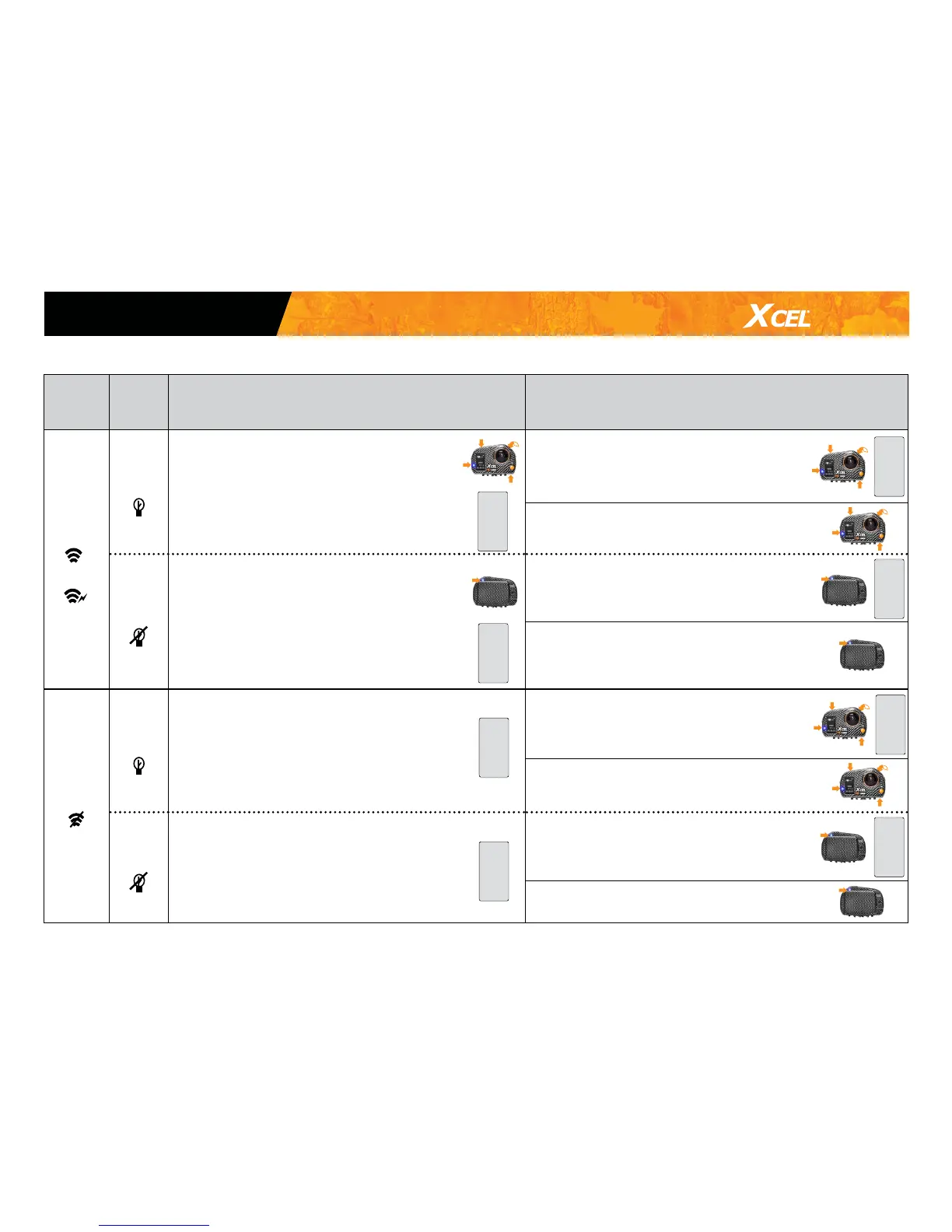
OPERATION OF THE LED LIGHTS AND SCREEN DEPENDING ON SELECTED OPTIONS
REMOTE
CONTROL
OPTION
DEL
LIGHTS
OPTION
OPERATION OF THE LED LIGHTS AND SCREEN
BEFORE RECORDING VIDEOS/PHOTOS
OPERATION OF THE LED LIGHTS AND SCREEN
WHEN RECORDING VIDEOS/PHOTOS
ENABLED
(
*
and
)
Enabled
(
)
• The 4 LED lights ash every 2 seconds to indicate
that the camera is waiting for the signal from the
remote control (when the video, photo or time
lapse mode is shown on the screen).
• The screen turns off after 1 minute of inactivity
(ENERGY SAVING). To return to the screen, press the
OK button.
Video/
Time lapse
• The 4 LED lights ash rapidly.
• The screen turns off after 5 seconds
(ENERGY SAVING).
Photo • The 4 LED lights ash rapidly.
Disabled
(
)
• The LED on the back ashes every 2 seconds to
indicate that the camera is waiting for the signal
from the remote control (when the video, photo or
time lapse mode is shown on the screen).
• The screen turns off after 1 minute of inactivity
(ENERGY SAVING). To return to the screen, press
the OK button.
Video/
Time lapse
• The LED light on the back ashes
rapidly.
• The screen turns off after 5 seconds.
(ENERGY SAVING).
Photo
• The LED light on the back ash twice.
DISABLED
(
)
Enabled
(
)
• The camera turns off after 2 minutes of inactivity
(AUTO SHUT DOWN).
Video/
Time lapse
• The 4 LED lights ash rapidly.
• The screen turns off after 5 seconds
(ENERGY SAVING).
Photo • The 4 LED lights ash rapidly.
Disabled
(
)
• The camera turns off after 2 minutes of inactivity
(AUTO SHUT DOWN).
Video/
Time lapse
• The LED light on the back ashes
rapidly.
• The screen turns off after 5 seconds
(ENERGY SAVING).
Photo • The LED light on the back ash twice.
*See note on next page
ENERGY
SAVING
ENERGY
SAVING
ENERGY
SAVING
ENERGY
SAVING
ENERGY
SAVING
ENERGY
SAVING
AUTO
SHUT
DOWN
AUTO
SHUT
DOWN
Conguration modes


 To Next Page