SPYTEC A118C 1080P HD DASH CAMERA WITH CAPACITOR USER GUIDE 16
Macintosh Users
Format the card as “MS-DOS FAT” by using spotlight to search for “disk utility”.
There are two removable drives added. Choose the drive for the microSD card
with capacity 59-/63-/128GB listed. Choose Erase. Choose “MS-DOS FAT” under
the Format. Press “Erase” at the lower right corner. Then press “Erase” in the new
pop-up windows. Wait for a while, making sure and that the power supply and cable
connection are stable. Formatting should be complete.
For more help formatting memory cards greater than 32GB, see:
http://support.spytecinc.com/help/article/link/64gb-sd-card-formatting-guide
http://support.spytecinc.com/help/article/link/how-to-video-formatting-a-64gb-sd-card
GPS Module (Optional)
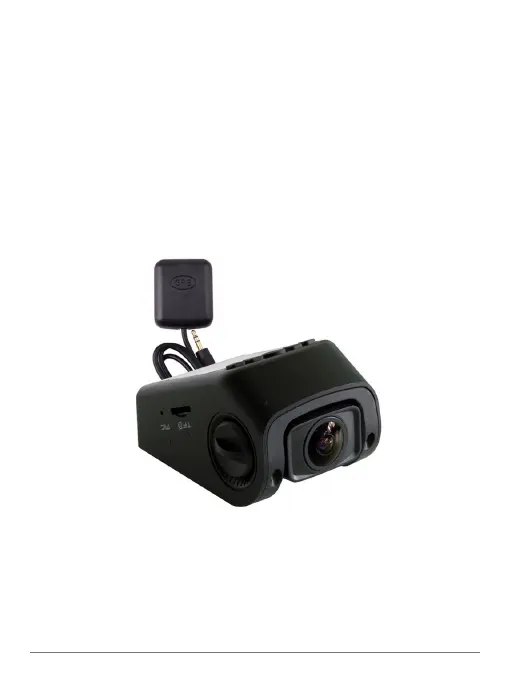
The GPS Module for the A118 Dash Cam enables GPS logging for video recordings
and photographs. Besides latitude and longitude coordinates, the module enables a
speed stamp on video footage.


 To Next Page