-3-
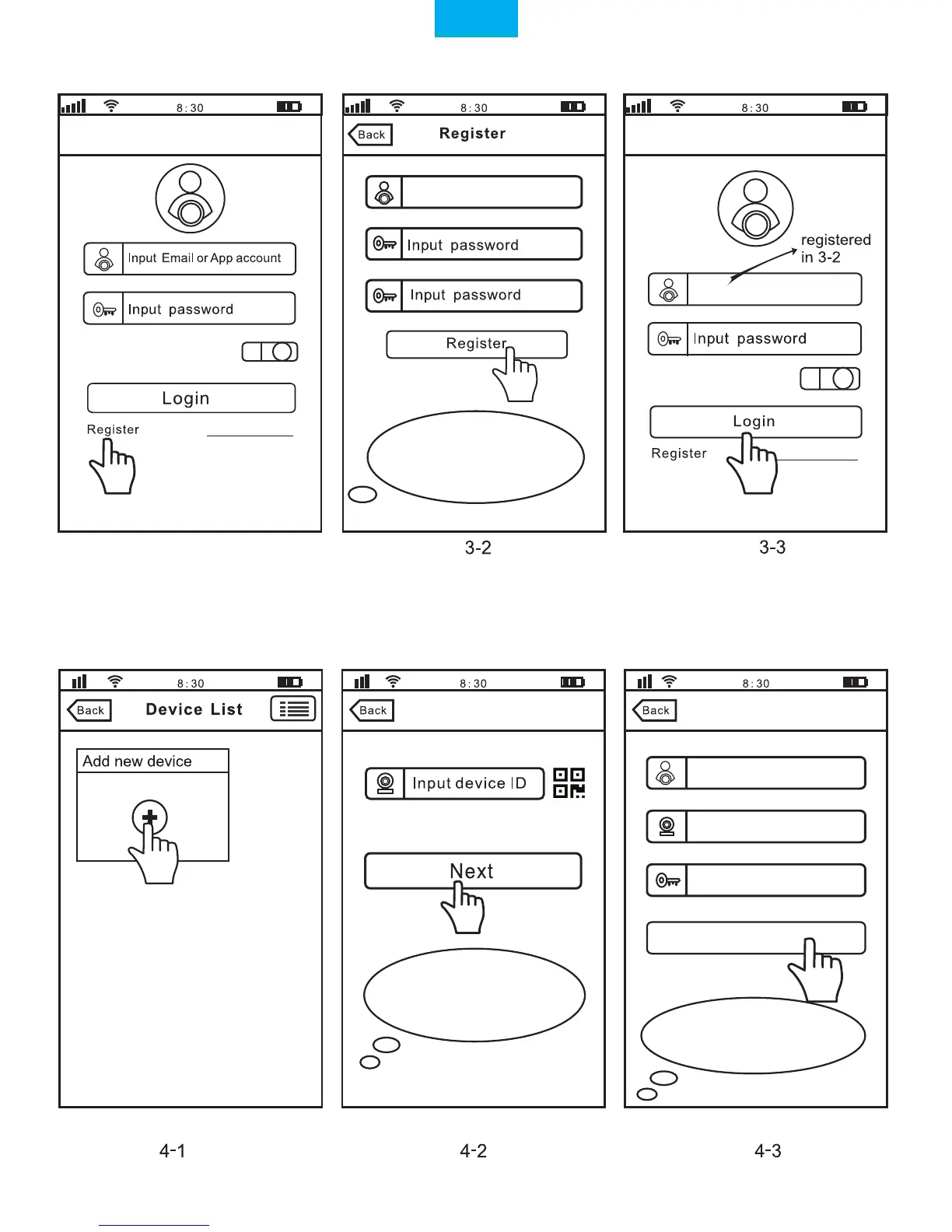
Step3. Register an APP User Account
3-1
Keep password
Keep password
Note: The “Device ID” can
be found on the label which is
attached to the camera.
Add deviceAdd device
IPCam
1069813
Next
Input password(default:888888)
Input the email
Please creat a password
for App account, please don't
input your email password
0551876
Step4. View the Camera on a Smart Phone (Open the “Sricam”App and follow these steps)
Note: Here take camera
ID:1069813 as an example.
Forgot Password?
Forgot Password?
English


 To Next Page