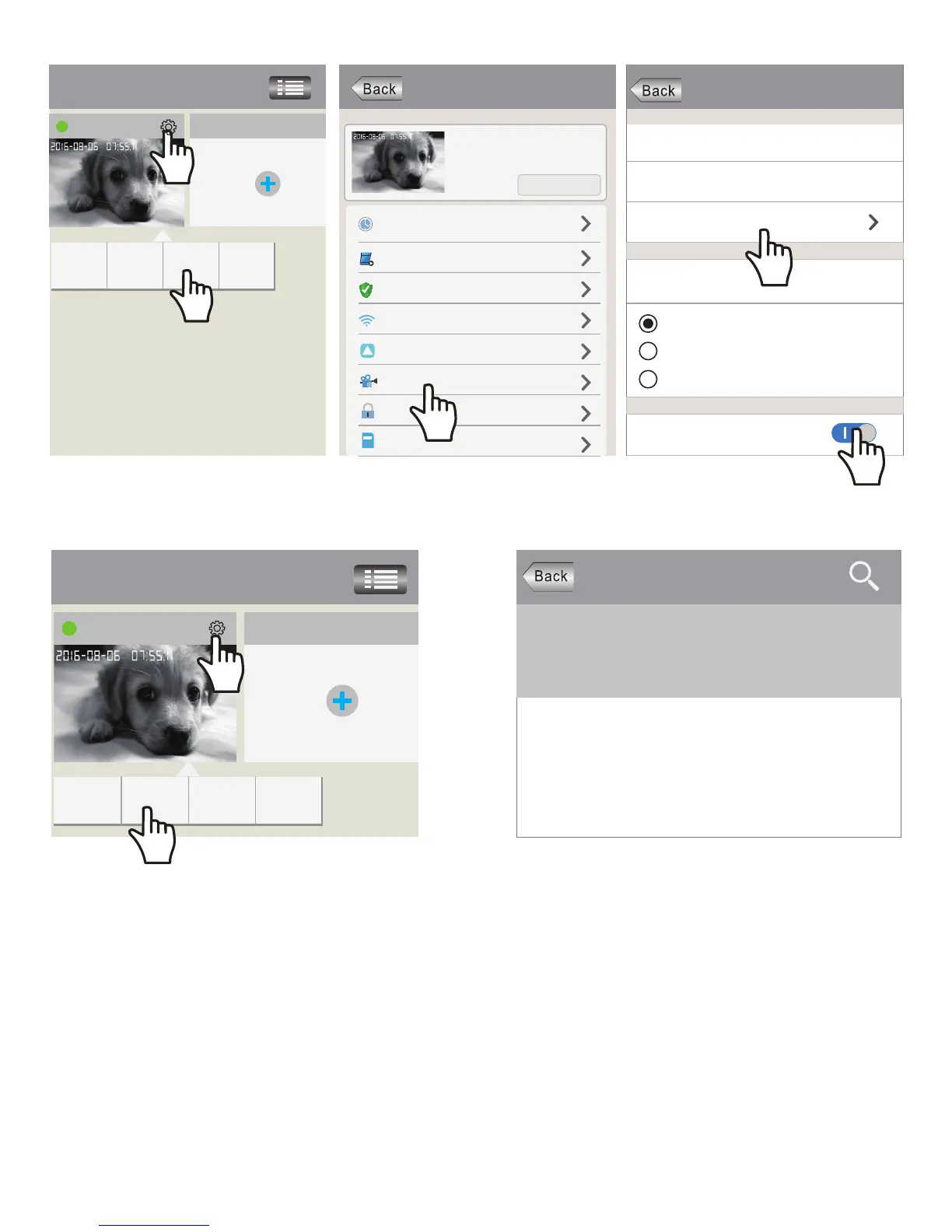
Record Setting
SD Card Free Space:827M
SD Card Formatting
Record Type
Record Switch
SD Card Total Space:3784M
Manual Record
Alarm Record
Timing Record
FAQ1-1 FAQ1-2 FAQ1-3
FAQ1-4 FAQ1-5
Playback-63
Devices List
SD card videos
Latest 1 day Latest 3 days
Latest 1
month months
Lastest 3
Phone local videos
disc1/2017-02-02_14:00:00_S.av (1123S)
disc1/2017-02-02_13:30:00_S.av (1800S)
disc1/2017-02-02_13:00:00_S.av (1800S)
home Add new device
Modify Settings DeletePlayback
Devices List
IPCam
Add new device
Modify Settings
DeletePlayback
Settings
home
Device information
Time Setting
Media Setting
Security Setting
Network Setting
Alarm Setting
Record Setting
Defence Setting
Storage Setting
!
FAQ2: Configure and watch live videos on AP Hotspot mode
4) Record Playback on PC
For video files transfer from microSD card to your PC and playback ,you need use the “SricamPC”App
For “SricamPC”App and user manual, please visit website: www.sricam.com/download.html
3) Record Playback on App
1
1
2
2
It is worth watching live video on AP Hotspot mode when you using a charged or unstable WiFi internet.
But before use AP Hotspot, you must have an useable internet no matter is charged or unstable.
Because download and start the App Sricam need internet.
6


 To Next Page