6 SRM PowerControl , Software, and Cleaning
• In order to download and analyze SRM training les, you must have the appropriate software installed on your computer such as SRMX or SRM WIN. Choose the
compatible software for your computer’s operating system for free at: http://www.srm.de/products/software/
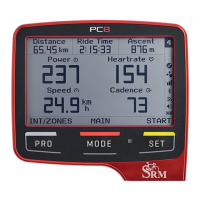
• For PC8: To create your personal rider prole, customize the display and enhance connectivity to data analysis software, download and connect your PC8 to SRM
Device Agent. SRM Device Agent software can be located at: http://www.srm.de/products/software/
• For information on basic software needs, downloading ride les, and setting up devices go to www.SRM.de/support or call our tech support line at: 719-266-4127
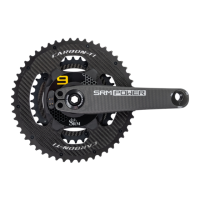
The SRM PowerMeter and PowerControl are sealed to prevent water entry. However, we do not advise cleaning with a pressure washer. Use a mild detergent with a
soft brush or cloth to clean your PowerMeter and PowerControl. Do not clean your PowerMeter in a solvent parts washer.
• Please refer to the original crank manufacturer’s recommendation for service procedure and intervals.
• Check the battery usage in the SRM Software or on the PowerControl .
• For SRM PowerMeters with non-rechargeable solid state batteries or rechargeable batteries- when the battery has been depleted or no longer holds a charge,
the SRM PowerMeter will need to be returned to an SRM Service Center for battery replacement and service. For locations please visit
www.SRM.de/support/service-locations.
• For SRM PowerMeters with crank spindle batteries- see the SRM Crank Spindle Battery Instructions on www.SRM.de.
Dispose of batteries according to local and federal regulations.
• Your SRM PowerControl has a rechargeable battery. The battery has a life of approximately 500 charge cycles. Depending on the conditions being used, this
should give 3-5 years of uninterrupted use.
• SRM recommends keeping your PowerControl charged. Storing your PowerControl with zero battery charge (blank display) will decrease the battery life.
• When your battery no longer holds a charge, your SRM PowerControl will need to be returned to an SRM Service Center for battery replacement and service. For
locations please visit www.SRM.de/support/service-locations.
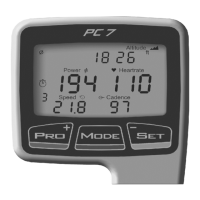
• The SRM PowerControl is used to communicate with the PowerMeter, display/store ride data and to setup necessary information for proper data collection.
• For more information on SRM’s line of PowerControl head units visit www.srm.de. PowerControl user manuals can be found at: http://www.srm.de/support/
manuals-documents/



 To Next Page