EasyManua.ls Logo

SRM PowerControl 7 - User Manual

Default Icon
28 pages
Print Icon
To Next Page IconTo Next Page
Loading...
Training System
www.SRM.de
PowerMeter 7
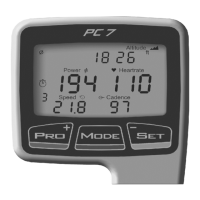
PowerControl 7
Short Manual
Question and Answer IconNeed help?

Do you have a question about the SRM PowerControl 7 and is the answer not in the manual?

Summary

Buttons and Views

PRO Button Functionality

Details short and long key presses for the PRO button.

MODE Button Functionality

Explains short, long, and very long key presses for the MODE button.

Cadence Magnet Installation

PowerMeter and Sensor Alignment

Speed Transmitter and Handlebar Clip Installation

Real-Time Training Data Menu

Average Training Data Menu

Maximum Training Data Menu

PowerMeter Sensor Pairing

Heartrate Sensor Pairing

Speed Sensor Pairing

Combined Cadence;Speed Sensor Pairing

Setting the Zero Offset

Setup Menu: Time, Date, and Slope Configuration

Setup Menu: Circumference, Storage, and Zones

SRM Software Installation Options

SRM Software Setup and Data Download

SRM PowerControl 7 Specifications

General IconGeneral
BrandSRM
ModelPowerControl 7
CategoryBicycle Accessories
LanguageEnglish

Related product manuals