...
1. Remove your old cranks.
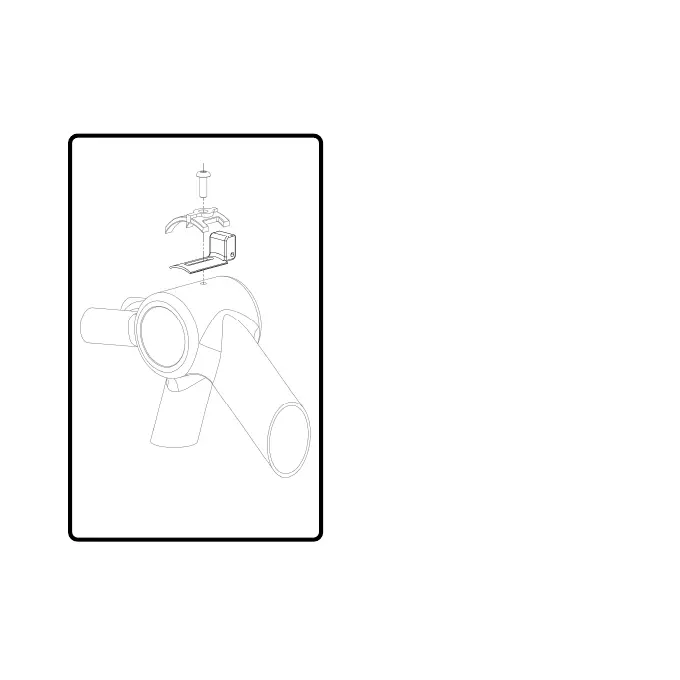
2. Remove the allen bolt for the
cable guide, leaving the
cables in place. Some guides
are riveted or glued, or are
not present. Consult a
technican or get your system
installed if you are uncertain.
3. Loosen the cables so you can
slide the cadence magnet
under the guide. Make sure
the magnet faces the lid on
the back of the PowerMeter
4. Align the magnet and cable
guide to reinstall the bolt. Do
not fully tighten. You will need
to adjust it when testing the
PowerControl (see page 8).
- Page 7-



 To Next Page