Hold for about 3 seconds to enter the Setup mode. The first
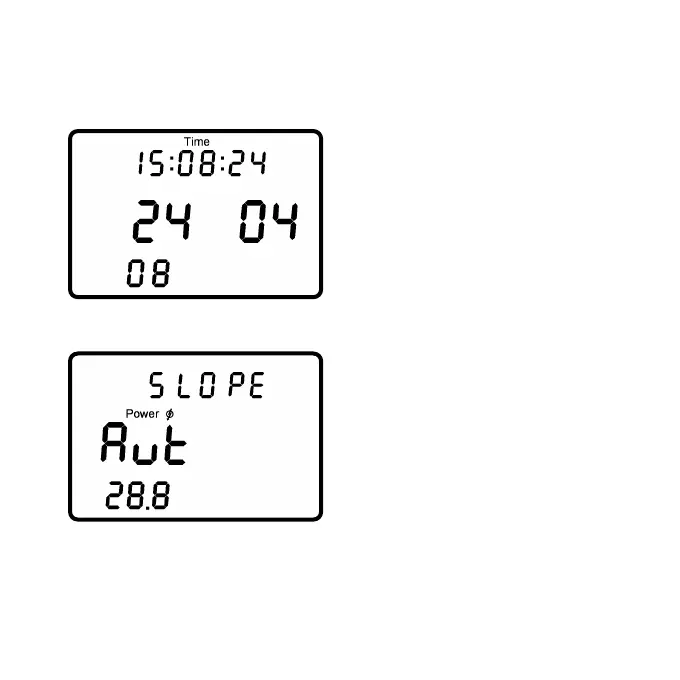
screen shows the setup menu to change the time and date.
The blinking digit can be changed
(seconds, minutes, hours, day,
month, year). Press to
increase or to decrease
the shown digit. Press to
proceed to the next digit until
year.
After the last digit (year) the next screen shows the manual setup
menu for the slope which is a unique value for each PowerMeter.
“Aut” tells the PowerControl to
pick up the slope automatically
from the PowerMeter.
Press .or during this
screen to manually enter a slope
between 15.0 and 50.0 Hz/Nm.
To set the slope to ”Aut” go to 15.0 and hit or go to 50.0 and
hit once.
- Page 21 -



 To Next Page