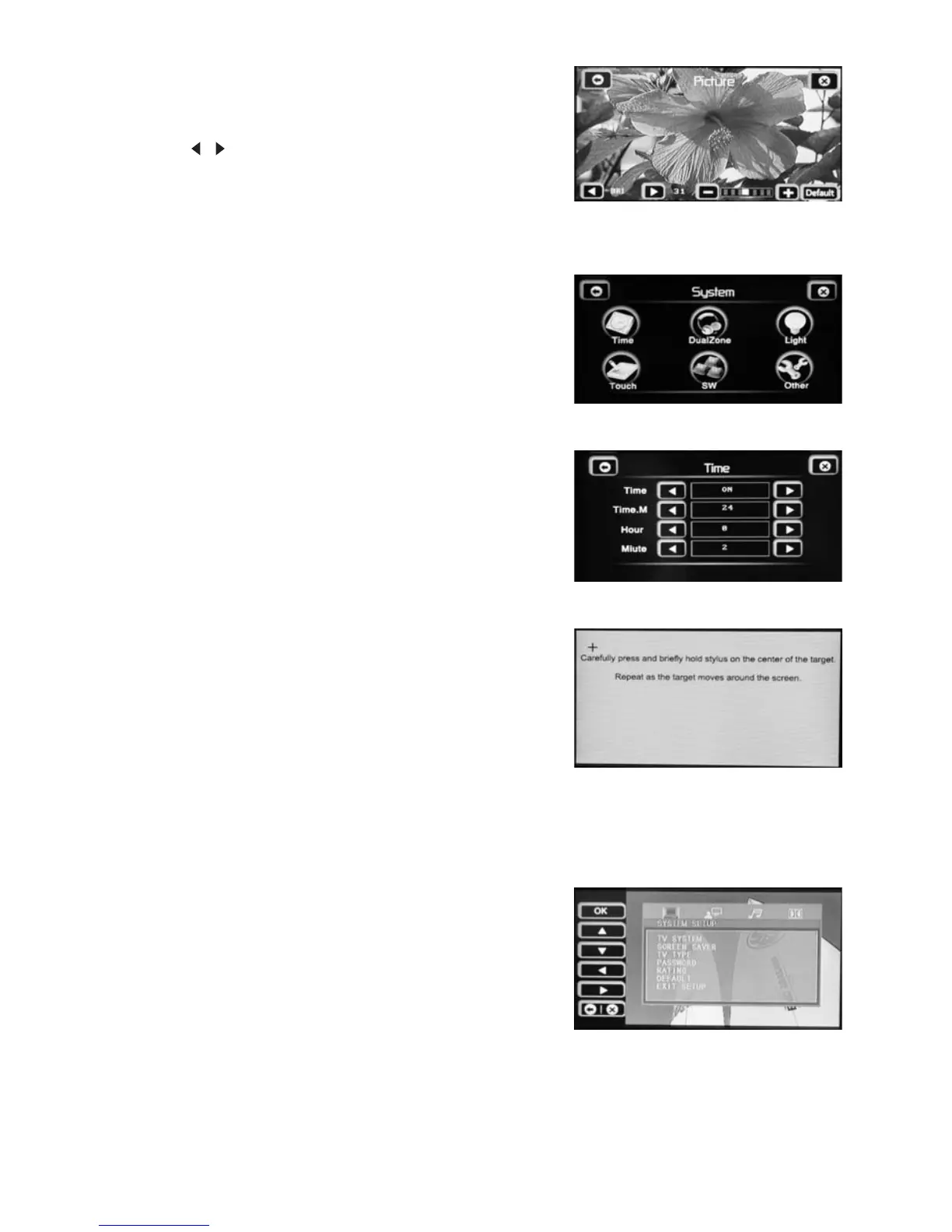
PICTURE setup
SYSTEM setup
Note
TIME
TOUCH
DVD SETUP
ENTER
Note: The PICTURE settings apply to the video display
Only and have no effect in tuner mode.
Touch the , icon to select a setting: BRIGHT
(Brightness), CONTRAST, COLOR or TINT.
These different options can be adjusted on a scale from
0to63.
Touch an icon to select a setting:
TIME/TOUCH.
: The “Dual zone”, “Light”, “SW” and “Other”
function are not available for this unit.
Time: Time display on/off
Time.M: 12/24 hour display mode
Hour: Adjust hours
Minute: Adjust minutes
You can calibrate the touch screen if necessary.
When the target “+” moves to another position, tap and
hold at the center.
Repeat four times to complete the calibration process.
When completed, tap anywhere on the screen to save
The setting and go back to menu screen.
Touch the cursor icons
to select a setting and use the “OK” icon to confirm.
Alternatively, you can use the cursors and
buttonontheremotecontroltosettheDVD
setup.
Please refer to the “DVD SETUP” section for more
details.
(▲/▼/◄/►) on the touch screen
(▲/▼/◄/►)
User’s Manual page 14-



 To Next Page