MP3/MPEG4
1. Playing a disc, an SD/MMC card or a USB
device containing MP3 files
SRC MODE
,
ENTER
ENTER
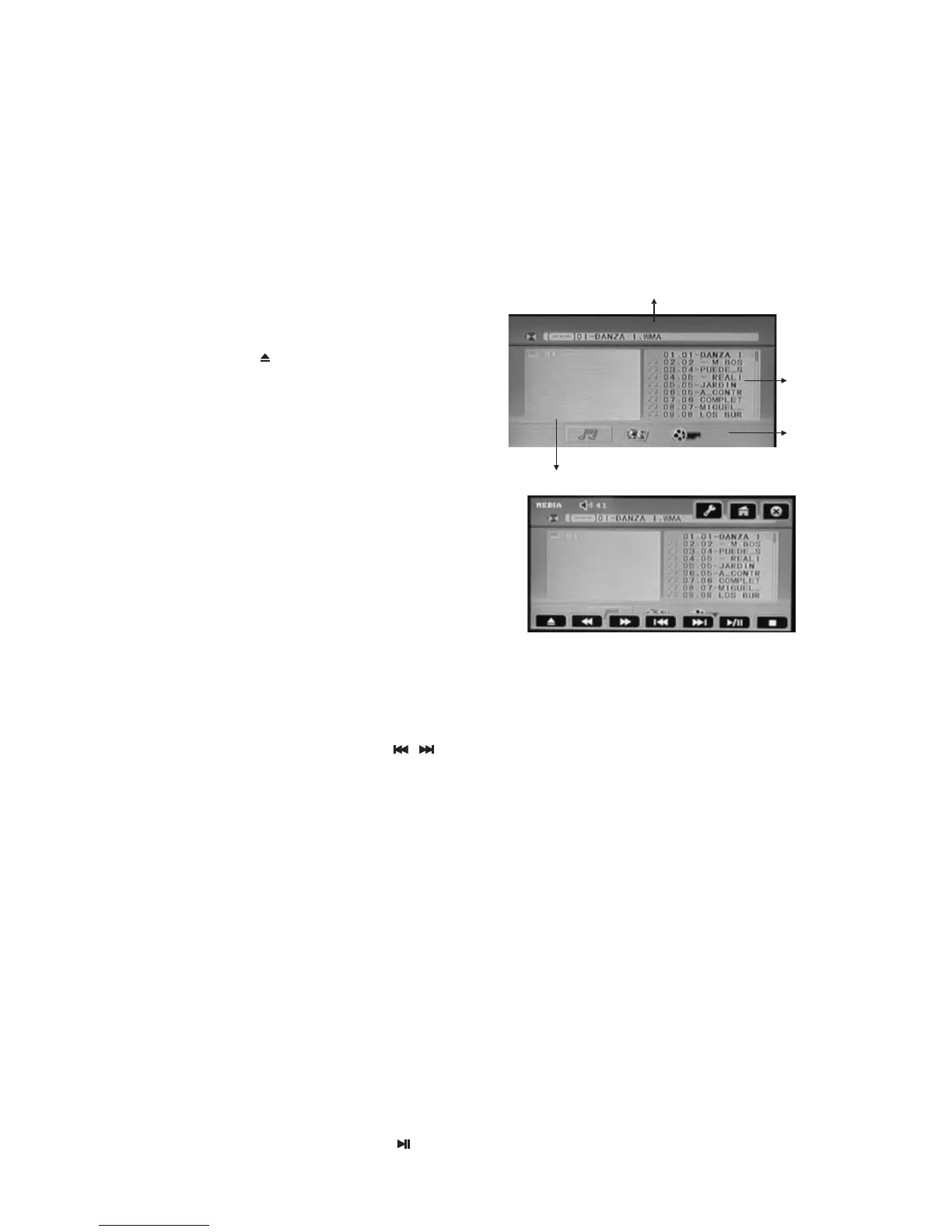
To invoke the disc playing control buttons
2. Quick track selection
3. Repeat playing
RPT
4. Selecting an MP3 track (or file) using the number buttons
ENTER
5. Stop playing
6. Pause playback
Connect a USB device using the supplied USB
cable or press the button to open the front
panel, insert a disc into the disc slot or an
SD/MMC card into the card slot.
The unit will automatically switch on when a
disc, card or USB device is inserted.
Press the / button to select the
source: DISC/USB/SD.
During MP3 playback, press the ▲/▼/◄/►
buttons to select the required file type (Music
Picture or Movie) or folder.
Then confirm using the button.
Then select the next track desired using the ▲/▼
Buttons. Press the button to
start playback.
During disc playing, touch the anywhere of the touch screen, you can invake the disc
Playing control buttons.
When playing MP3 files, press the / button on the remote control to go to the next
or previous track.
When playing MP3 files, press the button repeatedly on the remote control to select
repeat mode. You can select one of the following modes: REP 1, REP DIR, REP ALL or
REP OFF. While in REP 1 mode, the unit will play one track repeatedly. While in REP DIR
mode, it will play in the current folder repeatedly. In REPEAT ALL mode, the unit will play
all tracks repeatedly.
In folder/file list display mode, press the number buttons to select a track, then press the
button to confirm.
Note:
* This function can only be operated using the remote control.
When playing MP3 files, press the ■ button to stop playback.
When playing MP3 files, press the button to switch between play and pause.
DVD/VCD/CD/MP3/MPEG4 operations
Folders list
When you have selected a program type, the radio starts to search for broadcasts
corresponding to your choice, and stops if a corresponding broadcast is found. If no
corresponding broadcast is found, normal radio reception is resumed.
Information display
Files list
Files type
User’s Manual page 7-1


 To Next Page
 Loading...







