9
Specications SNG850-…
Operating voltage:
230VAC, +/-10%, 50/60Hz
Operating current: 200mA
Output voltage: 27.5VDC, 12VAC
Output current: 0.5ADC, 1AAC
Fusing: Primary fuse 1T250mAL,
secondary short circuit proof
Contact type: 2 n.o. contacts 24V,
2A
Protection system: IP30
Ambient temperature:
0°Cto+40°C
Horizontal pitch (HP): 9
Dimensions (mm) WxHxD:
162x89x60
Plug+Play programming offers
the simplest opportunity for those
without programming experience
to commission the set. The entire
installation of all users must have
been completed.
The housings of the indoor stations
must not yet have been closed.
Reset Plug+Play
In the event of a failed programming
attempt, Plug+Play programming
can be carried out again.
• Switch off the supply voltage.
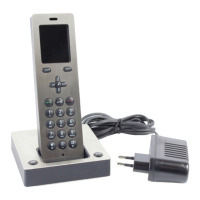
• Remove all telephones from the
base plates.
Programming – Plug+Play
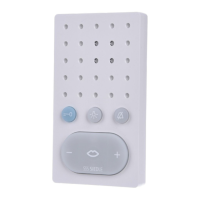
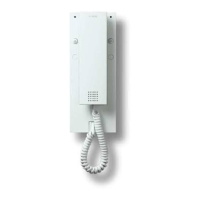
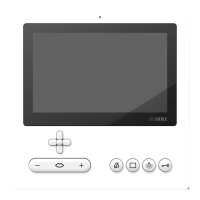
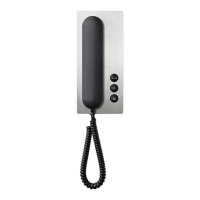
3 Set up the indoor device in
residence2, storey call can be heard
and the LED ashes. Indoor device2
is assigned to button2.
2 Set up the indoor device in resi-
dence1, storey call can be heard as
acknowledgement and the LED
ashes. Indoor device1 is assigned
to button1.
1 Activate the Plug+Play mode at
the SNG850-…, hold down the pro-
gramming mode button for 5sec-
onds. LED1 lights up permanently.
4 Switch off the Plug+Play mode at
the SNG850-… by briey pressing
the programming mode key. LED1
on the SNG850-… now ashes
again in the normal operating dis-
play. All LEDs on the indoor devices
are off, the system is ready for
operation.
Apartment 1
Apartment 2
click
Apartment 1
Apartment 2
• Switch the supply voltage back on
again and wait until the SNG850-…
is in normal operating mode (approx.
1–2minutes)
• Set the SNG850-… to the
Plug+Play mode by holding down
the programming mode button for
5seconds.
• Hold down the programming
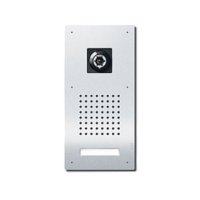
button at the door station for 4sec-
onds until an acknowledgement
tone is audible.
• Plug+Play programming can now
begin again.


 To Next Page
 Loading...