18
Programming
Overview of functions
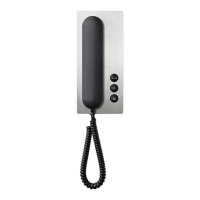
Storey call
The storey call button (ERT) is used
to call into the apartment from an
apartment door. Application e.g.
apartment building with 4 apart-
ments and a common staircase.
Storey call buttons are installed in
front of every apartment front door.
Switching on the light
If you press the door release button
twice, the lighting is switched on,
provided your electrical installer has
connected it.
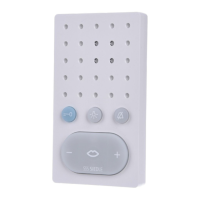
Muting the bell
If you press the speech button twice,
all the ringtones are switched off
and back on. To indicate the muting
function, the LED display is red. If a
visitor rings the doorbell, the button
ashes for as long as the indoor
device is muted.
Important remarks prior to
programming
On principle, the SET CAB/
CVB850-… can be commissioned
and programmed by one person.
• Complete the installation
• Activate programming mode on
the SNG850-… set line rectier
• Set the door station to the pro-
gramming mode
• Program the indoor device
• End programming mode
While the SNG850-… is in the pro-
gramming mode, several steps can
be programmed in sequence. There
is no need to quit the programming
mode after every operation.
Accepting door calls
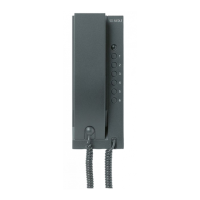
The call can be accepted by pressing
the speech button within 45seconds
after the last ringtone. The call is
ended by briey pressing the speech
button again. The indoor telephone
only ever transmits speech in one
direction and switches over auto-
matically. If the automatic switchover
function does not work due to loud
incidental noises at the door station,
it is possible to force switch over
of the speech direction from the
indoor device to the door station
by pressing and holding down the
speech button.
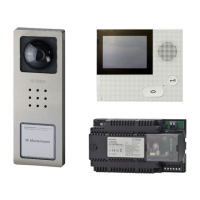
Selecting a door station
Press the speech button to establish
a connection to the door station
from where the last call came.
Display LED1 “Operation“
LED ashes evenly
(System ramp-up)
0,3s 0,3s
0,3s 0,3s 0,3s etc.
LED ashes short on, long off
(Operation display, system is functional)
1s
20ms 1s 20ms etc.
LED ashes short on, long off
(Programming mode active)
0,3s 2s
0,3s etc.
LED remains alight
(Plug+Play programming is active)
Display LED2 “Fault“
LED ashes unevenly
(More than 10 users)
2s 0,3s 0,3s 0,3s etc.
LED ashes unevenly
Unsuitable device connected in
Plug+Play mode
0,3s
0,3s 0,2s 2s etc.
LED ashes evenly
No door station connected in
Plug+Play mode
2s 2s etc.


 To Next Page
 Loading...