8. I turned the stove on with the On/Off switch and nothing happens. First check to see if the
stove is plugged in and the receptacle has power to it.
Solution: Check the fuse on the back of the control board. Replace with a 250 Volt, 5 Amp
fuse (part number 80P20057-R).
9.
Why is my glass dirty? Normal operation of your St. Croix corn stove will produce a white
build-up on the glass that wipes off with a dry paper towel. However extended burning on the
low setting only will produce a light tan color. These types of build-up on the glass are normal. A
heavy black build-up on the glass could indicate a problem.
Solution: a. Adjust the combustion air setting to the proper setting. If this doesn’t seem
to help, make sure the clean out cover plates are installed in the stove. It also
could be an indication that the stove is getting plugged and needs a good cleaning.
Refer to the section in the manual that covers the Daily, Periodic and Yearly
Maintenance of the stove.
10.
How do I adjust my low burn (#1 setting)? Not all corn burns
at the same rate. The moisture content of the corn greatly
influences the burn. Following is a description of the function of
the auger trim button. The solution described first will most likely
be the only one used while burning corn. It would be unusual to
use the second use of the trim button (decreasing the feed).
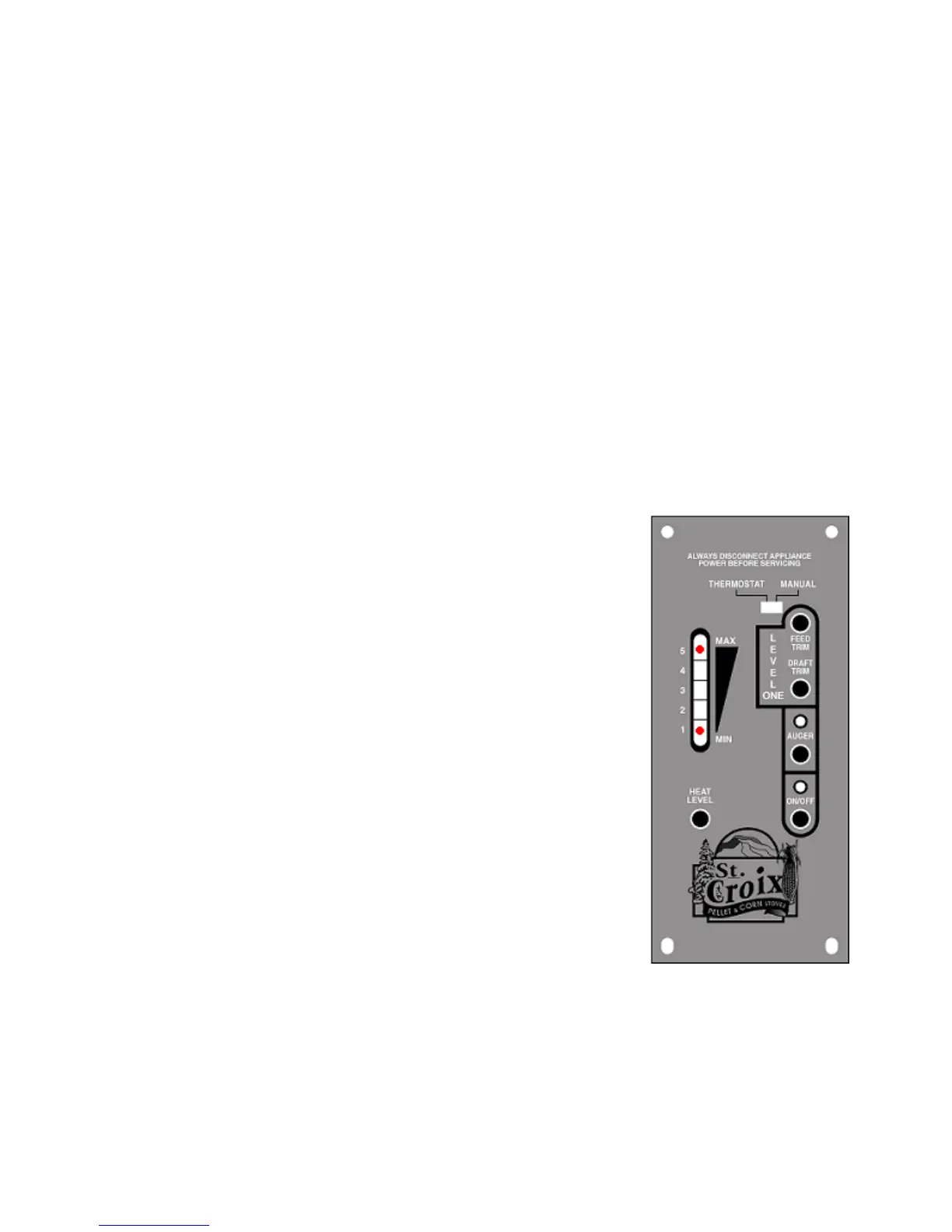
Solution: The auger trim button on the control board allows
the feed rate on #1 to be increased or decreased depending on the
type of fuel used.
a. Pressing the auger trim button once will turn
the #1 and #5 light on at the same time. This
is an increase of .25 seconds to the On-Time
of the #1 setting.
This is the #1-High setting, 1.75 seconds
Using the auger trim button is also helpful when trying to keep
the glass cleaner when burning on the #1 setting. The more fuel
on low will usually mean less build up on the glass.
22
Lancaster Operations & Maintenance Manual



 To Next Page