DocID018789 Rev 4 7/38
UM1079 Conventions
37
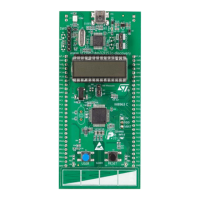
Depending on the function selected, the voltage value, the linear touch sensor position, the
touchkeys status or the STM32L152RCT6 current consumption is displayed on the LCD.
Please refer to the www.st.com/mcu web site for more details on the discovery project and
the STM32L152RCT6 features.
2.3 System requirements
• Windows PC (XP, Vista, 7)
• USB type A to Mini-B USB cable
2.4 Development toolchain supporting the 32L152CDISCOVERY
• Altium TASKING
®
VX-Toolset
• Atollic
®
TrueSTUDIO
®
• IAR™ EWARM
• Keil™ MDK-ARM
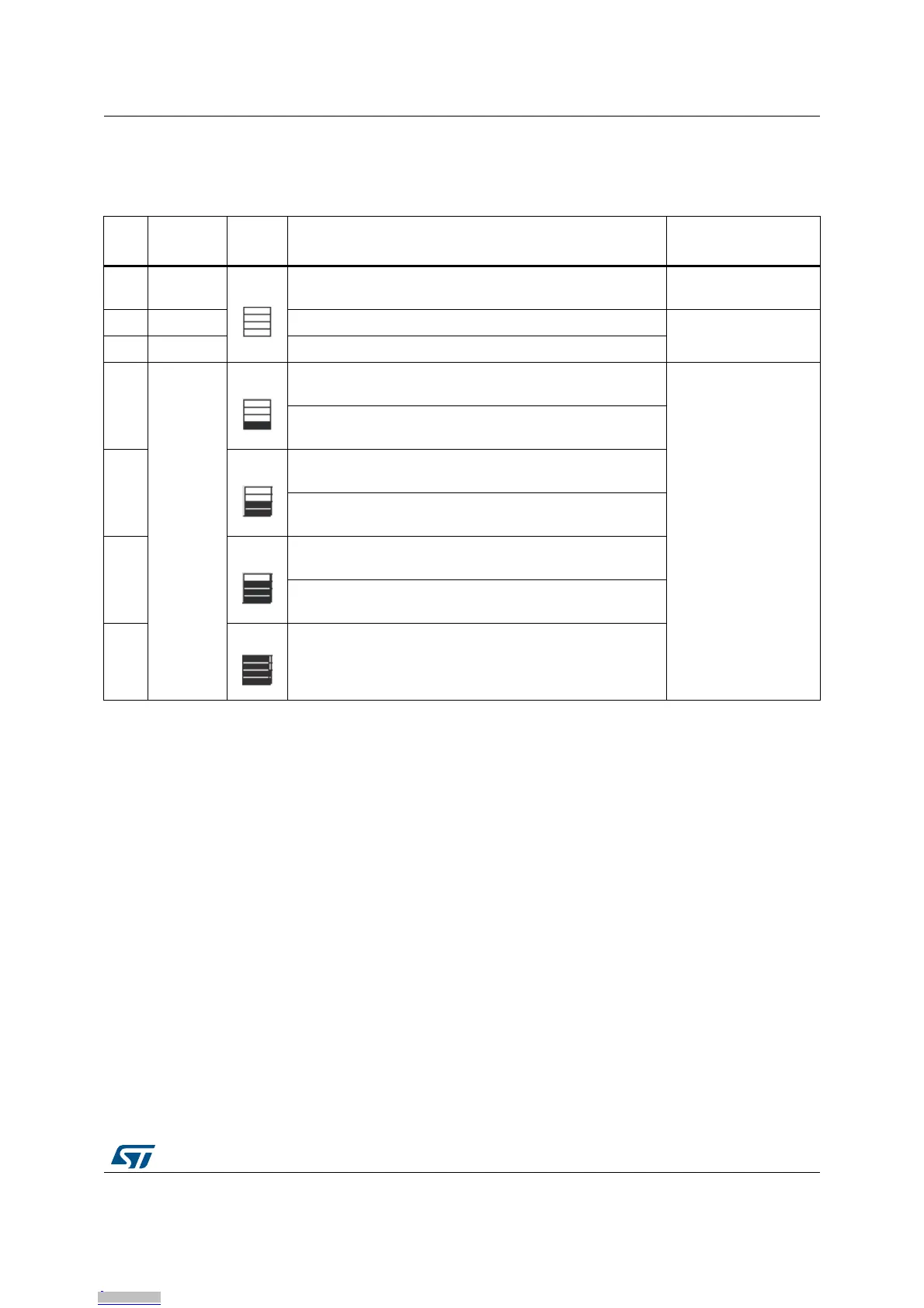
Table 3. Functions executed when clicking B1 button
Func
tion
LED LD3/4
Bar
status
Value displayed on LCD Main function
1
LD3 and
LD4 blink
Measured STM32L152RCT6 VDD voltage Voltage measurement
2 LD3 ON Linear touch sensor position from 0 to 100%
Touch sensing
3 LD4 ON Status of the four touchkeys
4
LD3 and
LD4 OFF
STM32L152RCT6 consumption measured in Run mode
(4 MHz)
STM32L152RCT6
current consumption
measurement
STM32L152RCT6 consumption measured in Sleep mode
(4 MHz)
5
STM32L152RCT6 consumption measured in Run mode
(32 KHz)
STM32L152RCT6 consumption measured in Low-power
sleep mode (32 KHz)
6
STM32L152RCT6 consumption measured in Stop mode,
RTC ON
STM32L152RCT6 consumption measured in Stop mode,
RTC OFF
7 STM32L152RCT6 consumption measured in Standby mode
Downloaded from Arrow.com.Downloaded from Arrow.com.Downloaded from Arrow.com.Downloaded from Arrow.com.Downloaded from Arrow.com.Downloaded from Arrow.com.Downloaded from Arrow.com.







 To Next Page