Flash the IoT node
Using Installed Script (Cont’d)
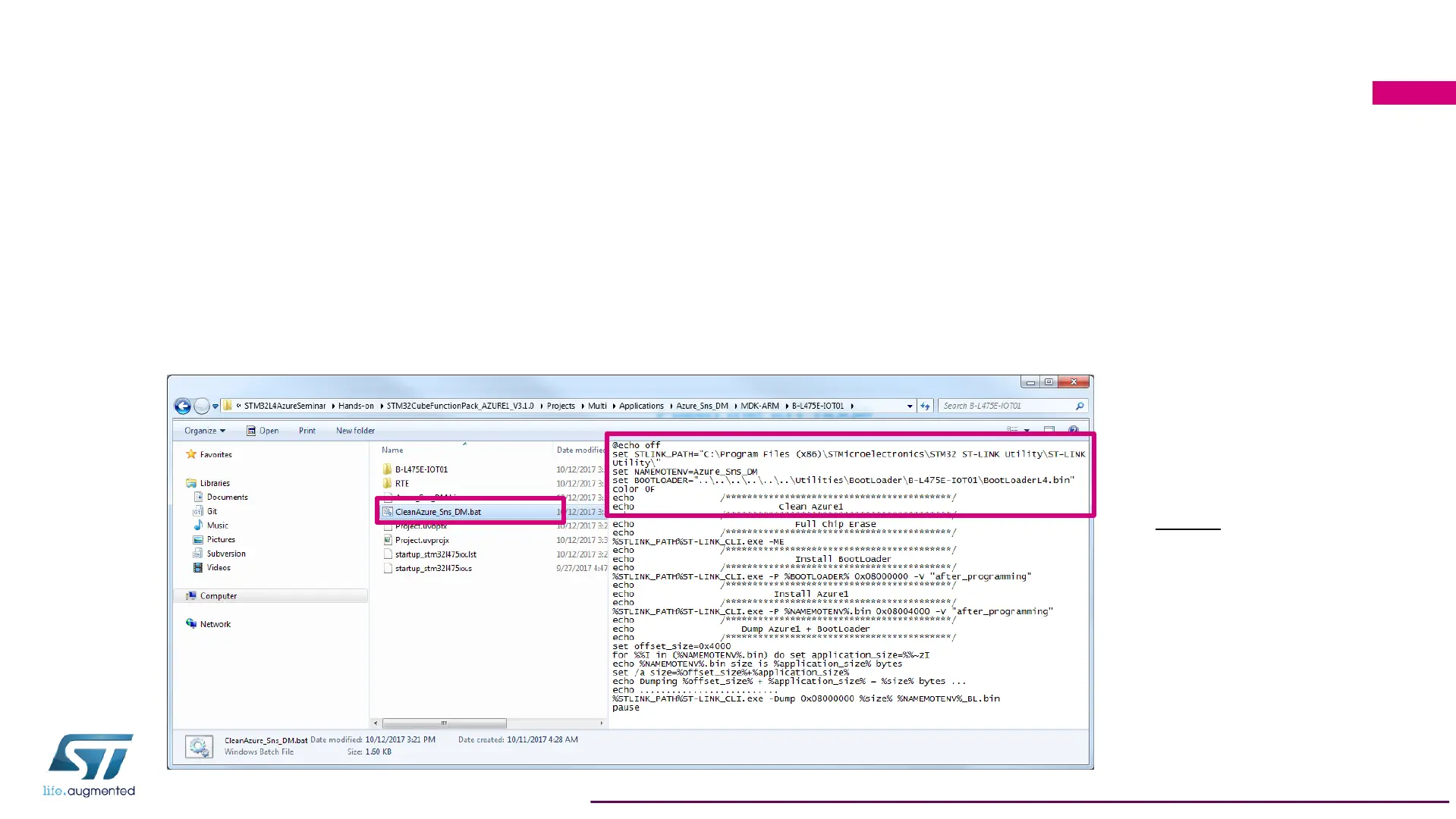
• Windows script uses a tool available with ST-Link utility installed by the installer
• Installation path in Windows7 for ST-Link utility is
C:\Program Files (x86)\STMicroelectronicsTraining\ST-LINK\
which is the one used by default in the script
• You can verify that the path in the script correspond to your installation path for ST-Link utility
144
`
Note: If you see an
error “The system
cannot find the path
specified”, please run
the ST-Link Utility
installer from the path
below to install the tool
at the default path:
C:\STM32L4AzureSeminar\Software\STSW-LINK004_STM32_ST-LINK_Utility-4.0.0.exe


 To Next Page