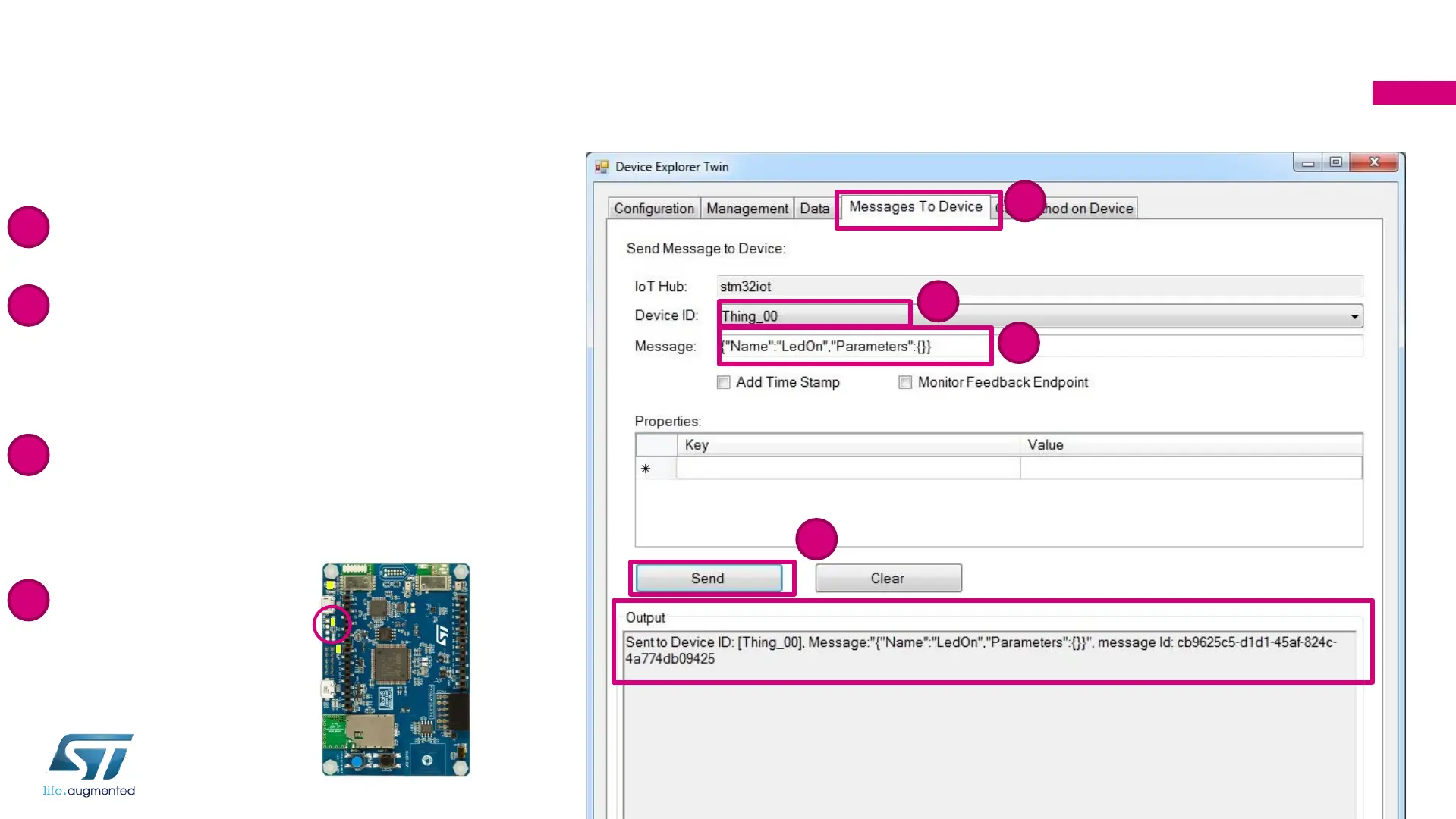
Step 7: Send Message to Device
with Device Explorer: Turn LED On
• Select Message To Device tab
• In Device ID, Select your device
“Thing_XX”: “XX” is your participant
number (2 characters)
• Copy-paste the message below to the
Message field to turn the green LED on:
• {"Name":"LedOn", "Parameters":{}}
• Click on Send
211
1
1
2
2
3
3
4
4


 To Next Page