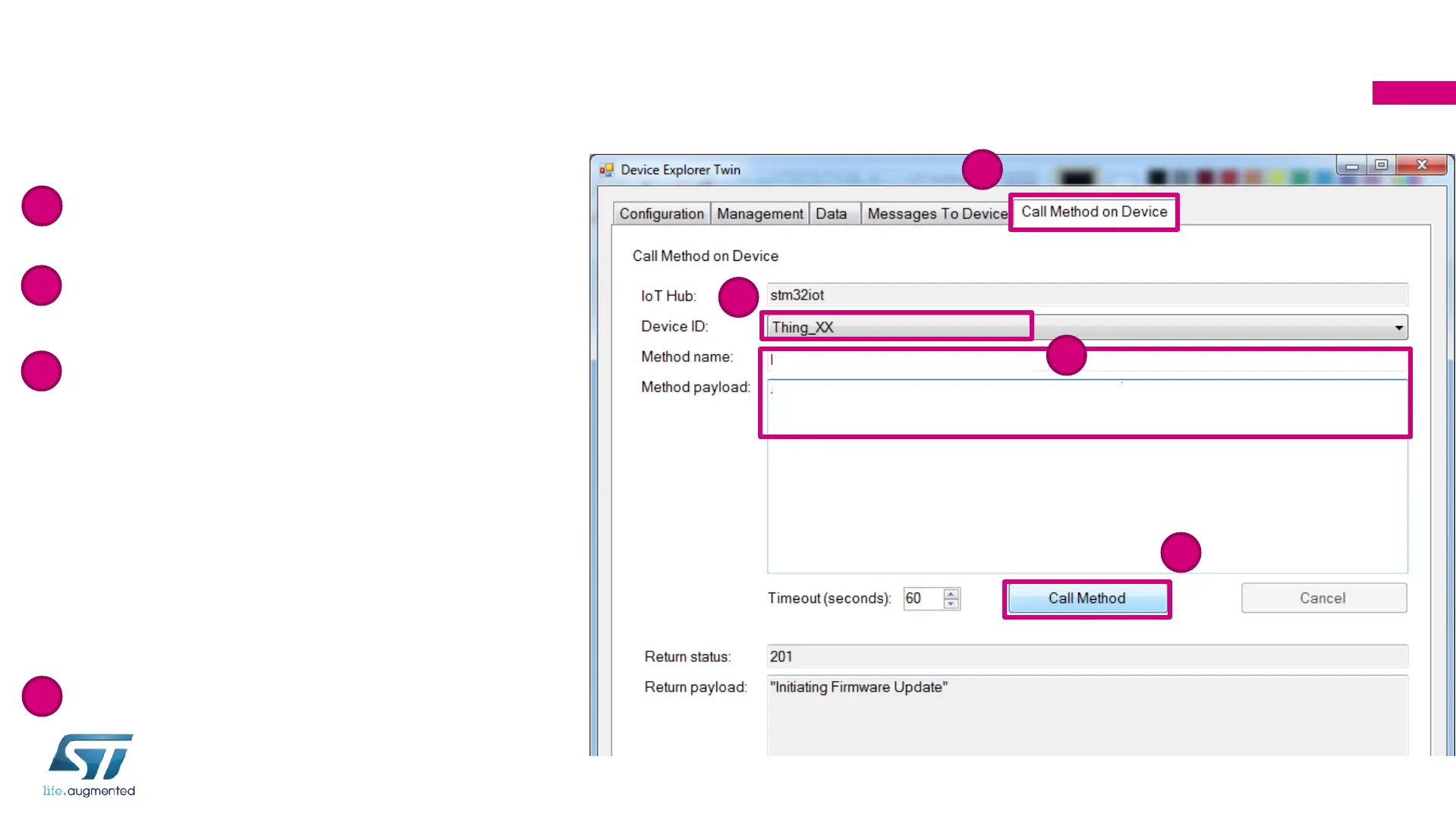
Step 8: Call FW-update Method on Device
with Device Explorer
212
2
4
3
1
FirmwareUpdate
{"FwPackageUri": "https://stm32iot.blob.core.windows.net/firmware/blinky.bin"}
• Select Call Method on Device tab
• Select your device “Thing_XX”: “XX” is
your participant number (2 characters)
• Copy-paste the message below to
Method name
FirmwareUpdate
Copy-paste the message below to
Method payload
{"FwPackageUri":
"https://stm32iot.blob.core.windows.net/
firmware/blinky.bin"}
• Click on Call Method
1
2
3
4


 To Next Page