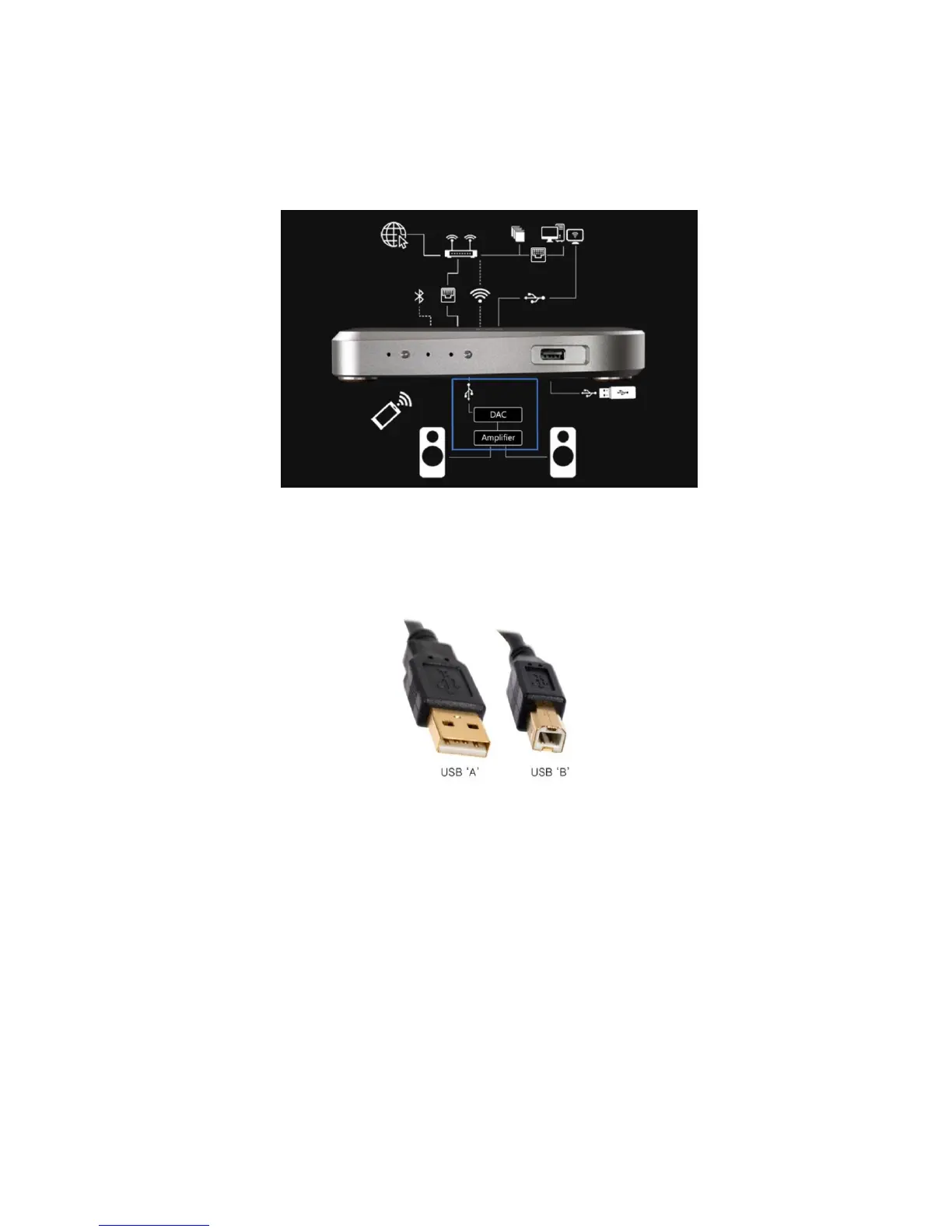
System connections
The LINK is designed to connect various streaming inputs to an existing DAC
(Digital to Analogue Converter) in a two-channel hi-fi system.
It has only one output, the USB Type A connector (10) on the back panel. This can
be connected to any USB equipped DAC or DAC/Amplifier. A USB cable with a
Type A connector for the LINK end and either a Type A or B connector for the DAC
should be used.
The LINK has a USB Out Power Switch (8) on the rear panel which enables users to
either send power to the DAC (switch up) or turn the supply off (switch down). If
your DAC has its own internal power supply, we recommend you turn the USB
Power Switch off for the best sound quality.
If you are unsure if your DAC has a power supply, try turning the USB Power Switch
off. If you can still hear music, your DAC has an internal power supply.



 To Next Page