Need help?
Do you have a question about the Stahlwille SmartCheck and is the answer not in the manual?
Instructions are part of the DPG and must always be stored with it.
Information in other applicable documents must be observed.
Defined text types are assigned to elements within the instructions.
Explains the meaning of DANGER and CAUTION notices.
Explains the meaning of ATTENTION notices regarding property damage.
Defines suitable applications, prohibitions, and user qualifications.
Provides instructions on avoiding explosion risks and electric shock.
Highlights risks from incorrect assembly and how to prevent them.
Warns of dropping risks and proper gripping methods.
Explains noise risks from click type torque wrenches and suggests ear protection.
Emphasizes careful handling to prevent mechanical, chemical, or thermal damage.
Measures to prevent damage to the DPG and torque wrenches.
Safety precautions for handling and disposing of batteries.
Conditions under which warranty and liability claims are inadmissible.
Requirements for personnel operating the DPG.
Specifies necessary personal protective equipment for safe operation.
Specifies the acceptable ambient temperature range for operation.
Describes the information found on the DPG's type plate.
Presents detailed technical specifications for different DPG types.
Instructions for safely transporting the DPG.
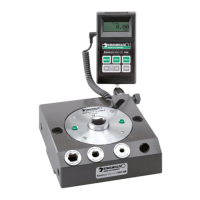
Lists the items included in the DPG's delivery package.
Provides guidelines for storing the DPG under suitable conditions.
Details on how to securely mount the DPG for operation.
Instructions on how to orient the display for clear readability.
Steps for connecting the external power supply unit to the DPG.
Information on using batteries or rechargeable batteries with the DPG.
Procedure for inserting 9V block or rechargeable batteries into the DPG.
Procedure for using AAA batteries with the adapter in the DPG.
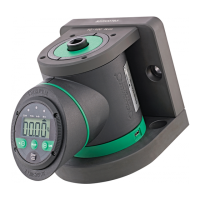
Overview and designation of the DPG's operating controls and indicators.
Step-by-step instructions on how to power on the DPG.
Explains the three available modes (Track, Peak Hold, First Peak) and how to select them.
Instructions for selecting the desired torque measurement unit (N·m, ft·lb, in·lb).
Guide to setting the desired target torque value using the +/- buttons.
Defines the tolerance range for testing and how it relates to LEDs.
Methods for resetting the DPG's display to zero.
Procedure to reset the display before changing test direction for accuracy.
Describes the overload warning function and how to respond to it.
Instructions on how to power off the DPG.
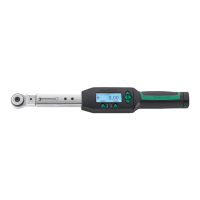
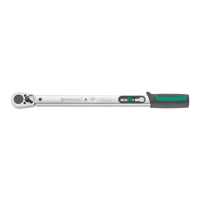
Steps for attaching a torque wrench to the DPG, including adapter use.
Procedure for performing a general torque measurement using the DPG.
Method for testing torque wrenches that indicate torque values.
Procedure for testing torque wrenches that provide audible/perceptible feedback.
Troubleshooting steps for when the DPG fails to power on.
Troubleshooting steps for unexpected DPG shutdowns during operation.
Steps to resolve issues with the display not showing a zero value.
Troubleshooting when LEDs work but acoustic signal does not.
Troubleshooting incorrect results in First Peak mode.
Troubleshooting when both LEDs and acoustic signals are not working.
Information on regular calibration to ensure DPG accuracy.
 General
| Type | Electronic Torque Tester |
|---|---|
| Display | LCD |
| Connectivity | USB |
| Units | Nm, ft-lb, in-lb |
| Data Storage | Yes |
| Resolution | 0.1 Nm |
| Operating Temperature | 0°C to 50°C |
| Power Supply | Battery |
| Data Transfer | USB |
| Storage Temperature | -20°C to 60°C |
| Accuracy | ±1% of reading |

 To Next Page