EasyManua.ls Logo

Standard Horizon HX380 - User Manual

Standard Horizon HX380
44 pages
Print Icon
To Next Page IconTo Next Page
Loading...
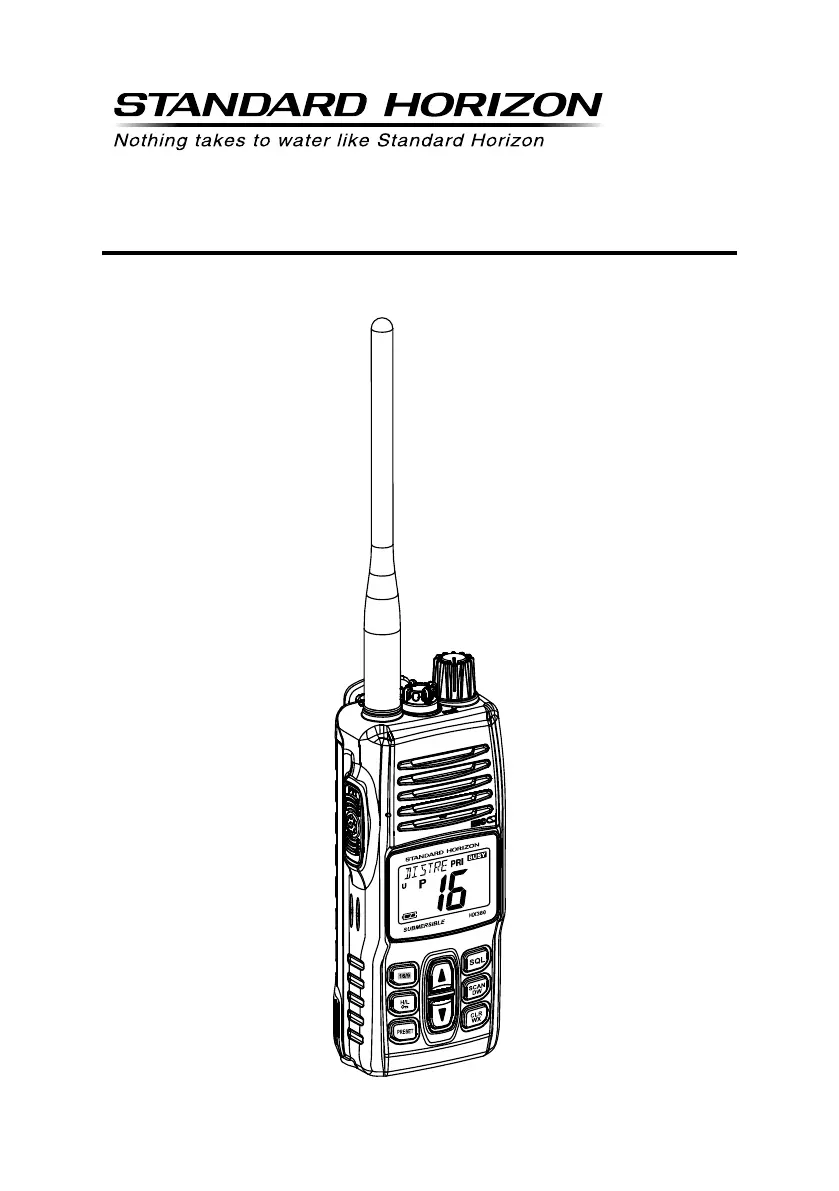
HX380
VHF FM Marine Transceiver
Owner’s Manual

Questions and Answers

  • D
    Dylan MackJul 26, 2025
    What to do if speaker audio is not heard on my Standard Horizon Transceiver?
    • J
      Jennifer PopeJul 26, 2025
      If you cannot hear audio from the speaker when a key is pressed, there could be a couple of reasons. First, the battery may be low, so try charging it. Second, the audio volume might be set too low; try turning the VOL knob clockwise to increase the volume.
  • M
    markedwardsJul 30, 2025
    Why doesn't the scan start when I press the key on my Standard Horizon HX380?
    • B
      buchanancoreyJul 30, 2025
      The scan may not start for a couple of reasons. You may not have any channels memorized, so use the key to enter desired channels into the Preset memory. Alternatively, the squelch may not be adjusted correctly. Adjust the squelch to the threshold or to the point where noise just disappears, but be aware that further adjustment of the squelch control may eliminate incoming signals.
  • S
    Shawna CooperAug 3, 2025
    What to do if I cannot select bands on my Standard Horizon HX380?
    • M
      Michael TaylorAug 3, 2025
      If you're having trouble selecting between USA, INTL, or Canadian bands on your Standard Horizon Transceiver, make sure you are following the correct procedure. Hold down the key and press the key.
  • J
    Jane GomezAug 8, 2025
    Why some keys do not operate on my Standard Horizon HX380?
    • C
      Crystal BenderAug 8, 2025
      If some keys on your Standard Horizon Transceiver aren't working, it might be because the Key Lock is turned on. To resolve this, turn the Key Lock off.
  • C
    christysmithAug 12, 2025
    How to fix Standard Horizon Transceiver scan key not working?
    • A
      April WillisAug 12, 2025
      If the [SCAN(DW)] key on your Standard Horizon Transceiver isn't starting the scan, it could be due to a couple of reasons: * First, check if you have any channels memorized. If not, use the [PRESET] key to enter the desired channels into the Preset memory. * Also, ensure that the squelch is properly adjusted. Adjust the squelch to the point where the noise just disappears; adjusting it too far may eliminate incoming signals.
  • S
    stevencochranAug 16, 2025
    How to select bands on Standard Horizon HX380?
    • S
      Stephanie MartinAug 16, 2025
      If you're unable to switch between USA, International, or Canadian bands on your Standard Horizon Transceiver, make sure you are following the correct procedure. HOLD down the [16/9] key and press the [CLR] key.
  • E
    Eric HunterAug 20, 2025
    How to select keylock function on Standard Horizon HX380 Transceiver?
    • A
      annrobersonAug 20, 2025
      If you're having trouble activating the keylock function on your Standard Horizon Transceiver, ensure you're doing it correctly: Hold down the [H/L( )] key for 2 seconds.

Summary

Quick Reference Guide

Key Controls Overview

Describes the primary controls and buttons of the transceiver.

FCC RF Exposure Requirements

General Information

RF Exposure Safety Statement

Details safety guidelines for radio frequency exposure.

Accessories

About This Radio

Emergency Channel 16 Use

Explains how to use Channel 16 for distress calls.

Calling Another Vessel

Getting Started

Batteries and Chargers

Battery Safety

Outlines crucial safety precautions for Li-Ion batteries.

Battery Charging

Controls and Indicators

Controls and Switches

Defines each physical control on the transceiver.

LCD Indicators

Basic Operation

Transmission

How to transmit signals, including power levels.

Transmit Time-Out Timer (TOT)

NOAA Weather Channels

Weather Alert Features

Covers receiving and testing weather alerts.

Preset Channels

Memory Scan

Priority Scan

Dual Watch

Tri-Watch

Menu (ā€œSetā€) Mode

Maintenance

Service and Troubleshooting

Specifications

Receiver Specifications

FCC and Canada Radio License Information

Standard Horizon HX380 Specifications

General IconGeneral
Frequency Range156.000 - 163.425 MHz
Output Power6W / 1W
Waterproof RatingIPX7
DisplayLCD
GPSNo
DSCYes
FloatationYes
TypeMarine VHF Transceiver
ChannelsUSA, International, and Canadian Channels
BatteryLi-ion

Related product manuals