EasyManua.ls Logo

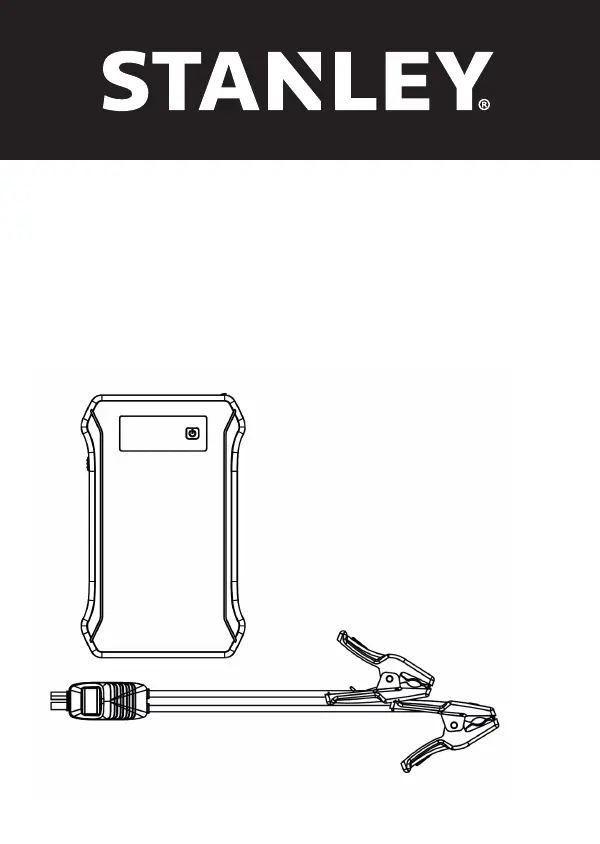
Stanley SXAE00125 - User Manual

Stanley SXAE00125
164 pages
Print Icon
To Next Page IconTo Next Page
Loading...
STANLEY® and the STANLEY® Logo are trademarks of Stanley Black & Decker, Inc. or an afliate thereof, and are used under
license. Developed and disitributed by: Schumacher Europe, 3 rue de la Baronnerie 4920 Harzé - Belgium
979141-3
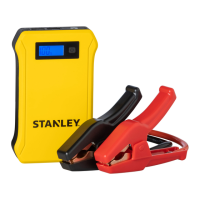
SXAE00125
12V - 700A
Lithium Booster
Powerbank
English 03
German 11
French 19
Italian 27
Spanish 35
Dutch 43
Portuguese 51
Greek 59
Swedish 67
Danish 75
Polish 83
Finnish 91
Croatian 99
Slovak 107
Russian 115
Hungarian 123
Norwegian 131
Czech 139
Romanian 147
Turkish 156

Questions and Answers

  • K
    kennethharrisAug 10, 2025
    What to do if my Stanley SXAE00125 Accessories booster turns on, but won't jump start my vehicle?
    • E
      Elizabeth ComptonAug 10, 2025
      If your Stanley Accessories booster turns on but fails to jump start your vehicle, first check all connections to ensure they are secure. Then, verify that the booster's charge level is at least 40%. If the vehicle doesn't start after three attempts, it's recommended to consult a qualified service technician.
  • J
    Joseph RobertsAug 16, 2025
    Why is the LCD display flashing on my Stanley SXAE00125 booster?
    • R
      rachellopezAug 17, 2025
      If the LCD display of your Stanley Accessories is flashing, this indicates that the unit is either too hot or too cold. Disconnect the output lead and Micro/USB charging cable. Reconnect them once the temperature condition has been resolved.
  • C
    calebjacksonAug 25, 2025
    What to do if green LED is blinking, red LED is off, no beep when cable is connected to Stanley SXAE00125 Accessories booster?
    • T
      Tina McleanAug 26, 2025
      If the green LED is blinking, the red LED is off, and there's no beep when the cable is correctly connected to both the battery and the Stanley Accessories booster, it means the system has detected a 'fake' high battery voltage, but reverse charging protection hasn't activated. In this case, you can turn the key to jump start the vehicle.
  • R
    Robert CooperAug 31, 2025
    How to fix Stanley SXAE00125 booster display that will not turn on?
    • T
      Tristan BrockAug 31, 2025
      If your Stanley Accessories booster's display will not turn on, ensure the unit is adequately charged by connecting it to a power source to reset it. Also, verify that the ON/OFF switch is in the ON position.

Summary

Important Safety Instructions

Important Safety Instructions

Save and follow crucial safety instructions for safe and effective use of the booster unit.

Personal Precautions

Follow personal safety guidelines to prevent injury and damage when working with the battery and booster.

Preparing to Use the Booster

Learn how to prepare the booster and vehicle battery before starting the jump-start process.

Following Steps When Connecting to a Battery

Follow these critical steps for safely connecting the booster cables to the vehicle battery.

General Information

Description

Provides a detailed overview of the booster's components and features with numbered labels.

Technical Specifications

Lists detailed technical specifications for the booster, including model, capacity, and voltage.

Charging the Booster

Learn how to check the battery level and charge the booster's internal battery for optimal performance.

Using the LED Light

Instructions on how to operate the LED light feature, including different modes like SOS and strobe.

Instructions Manual

To Start a Vehicle

Step-by-step guide on how to safely use the booster to jump start a vehicle.

Starting Attempt

Details on how to attempt to start the vehicle, including precautions and troubleshooting for failed attempts.

Charging a Mobile Device

Guide on how to use the booster's USB ports to charge mobile devices.

Maintenance and Storage

Instructions for maintaining the booster and proper storage procedures to ensure longevity.

Troubleshooting

Booster Issues

Common problems with the booster and their solutions, such as display not turning on or not recharging.

Smart Cable LED and Alarm Behavior

Explains the meaning of LED indicators and buzzer warnings on the smart cable for various situations.

Stanley SXAE00125 Specifications

General IconGeneral
BrandStanley
ModelSXAE00125
CategoryAccessories
LanguageEnglish

Related product manuals