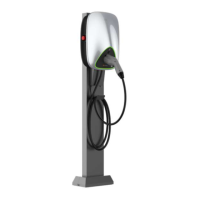
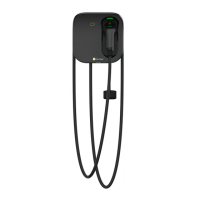
This document outlines the instruction manual for the 180kW Super Plus DC Charger, an integrated lithium-ion battery charger designed for electric vehicles. It provides comprehensive information on the device's operation, maintenance, and troubleshooting, ensuring safe and efficient use.
Function Description
The 180kW Super Plus DC Charger is an integrated charging solution for electric vehicles (EVs) equipped with high-voltage lithium battery systems. It supports both indoor and outdoor charging environments. The charger incorporates advanced soft-switching technology, ensuring high conversion efficiency, stable output current, and high reliability. Its modular design enhances fault tolerance, meaning the failure of one module does not affect the overall operation of the machine.
The charger offers two primary charging methods:
- BMS Charging Mode: This mode communicates in real-time with the vehicle's Battery Management System (BMS) via a CAN bus interface. It dynamically adjusts charging voltage and current based on BMS commands and automatically stops charging upon receiving a stop or abnormal command from the BMS. This mode supports the "GB / T 27930-2015 Communication protocol between non-vehicle conductive chargers and battery management systems for electric vehicles" and user-defined protocols.
- Manual Charging Mode: For scenarios without CAN communication, users can manually set the output voltage, current, and charging time via the touch screen Human-Machine Interface (HMI).
The device is equipped with a range of protection functions to ensure safety and longevity, including input over-voltage/under-voltage protection, output short circuit protection, output over-voltage protection, output over-current protection, over-temperature protection, electric leakage protection, lightning protection, insulation detection, and reverse battery protection. An external status light provides real-time operational status updates.
Usage Features
The charger's operation involves two main parts: connecting the charger to the vehicle and performing charging operations through the HMI.
Charging Connection Operation:
- Confirmation: Ensure the charger is in normal condition before use.
- Connector Removal: Remove the charging connector from its holder.
- Vehicle Compatibility: Confirm that the vehicle meets the charging conditions.
- Insertion: Insert the connector into the corresponding charging port of the vehicle.
- Connection Integrity: Verify that the connection is secure before proceeding.
Interface Operation (HMI):
The charger features a touch screen HMI for user interaction.
- Screen Activation: Tap the screen to activate it.
- Model Selection: Select "special models" and then choose the EV model for the charging port (e.g., Car 12V, Bus).
- Charging Mode Selection: After confirming the model settings, return to the main interface and select "Charge." Users can then choose from several charging initiation methods:
- Scan QR Code: Open the Star Charge APP (or similar) and scan the QR code displayed on the charger's screen. The APP interface will show the charging status.
- Swipe RFID Card: Place a registered RFID card on the designated swiping area to initiate charging.
- Manual Charge: Manually set charging parameters.
- VIN Charge: Charge using the vehicle's VIN.
- Remote Start: Charging can also be initiated remotely via the backend system.
During Charging:
The HMI displays the charging status, including electric quantity, output voltage, and output current. An external LED status indicator provides visual cues for standby, operation, and failure states.
Stopping Charging:
Charging can be stopped by:
- Clicking "Back" on the HMI to return to the main charging interface.
- Clicking the stop button on the Star Charge APP.
- Clicking the "Stop Charging" button on the charger interface.
Disconnection:
After charging is complete or stopped, disconnect the charging connector from the vehicle and return it to its holder.
Additional Features:
- Network Operation Platform Integration: The charger supports integration with network operation platforms, allowing users to locate chargers, view charging status, and utilize features like reservation charging and economic charging modes via websites, apps, smart remote calling, and WeChat.
- Payment Options: After charging, users can pay through various methods like Alipay, WeChat, and Union Pay, eliminating the need to swipe cards again.
- Data Service Platform: Open, shareable data service and cloud management platforms are available.
- OCPP Compatibility: Compatible with OCPP 1.6J communication protocol.
Maintenance Features
The manual provides detailed instructions for routine maintenance to ensure the charger's optimal performance and safety.
Power Distribution System:
- Supply Voltage Check: Regularly check if the supply voltage is normal.
- Power On/Off Procedure: Follow specific steps for powering on (main switch then branch circuit switch) and powering off (branch circuit switch then main switch) the distribution box.
Wiring System:
- Wire Slot Inspection:
- Weekly: Check if the wire groove is fixed firmly, the cover plate is complete, and no wires are exposed.
- Monthly: Verify the wire groove is fixed firmly, and the cover plate is complete and sealed.
- Annual: Inspect for firm fixation, tight cover plate, loose joints, distortion, deformation, and loosened, corroded, or rusted fasteners.
- Cable Inspection:
- Weekly: Check for cable heating and breakage.
- Monthly: Inspect for cable heating, breakage, and ensure it is pulled forcibly or fixed securely.
- Annual: Verify tight cable connections to switches, reliable grounding, absence of heating or damage, and compliance of insulation resistance with regulations. Ensure sealing measures for cables entering the box are intact and tight.
Circuit Components:
- Weekly: Check the emergency stop button's functionality, confirm control circuit disconnection upon pressing, verify normal operation of indicator lights and buzzers, and inspect the charging connector's fixed clasp for damage or abnormal connection.
- Quarterly: Check if circuit components are fixed firmly and if there are signs of burning at connections. Replace abnormal components promptly.
- Annual: Use a brush and vacuum cleaner to remove dust from the box, being careful not to blow dust into components to avoid short circuits. Conduct a complete inspection of all components and parts, replacing any abnormalities.
Auxiliary System:
- Indicator Lights:
- Monthly: Check for indicator light burning phenomena and firm fixation.
- Annual: Ensure wire and indicator light connections are tightly sealed, free from corrosion, and all accessories are complete, fixed firmly, and not burned out. Check incoming insulation compliance.
- Fan:
- Monthly/Quarterly: Check for fan damage or loose fixation. Replace the fan dustproof cotton and clean the fan system. Clean or replace worn fan parts.
- Fan Check Procedure: Open the left door, unscrew butterfly nuts on the fan mounting plate, open the plate, and replace the filter assembly. Repeat for the right door.
- Safety Note: When disassembling or replacing the fan, the device must be in a power cut-off state. Avoid touching internal devices of the charging module.
Electrical Ground System:
- Importance: Electrical grounding is crucial for human and equipment safety.
- Weekly: Check for loose, lost, or altered grounding. Observe if grounding is intact and if anti-loosening devices are complete, damaged, or removed.
- Monthly: Ensure grounding system connections are not rusty, oxidized, or unstable, which can increase earthing resistance. Check if grounding marks are complete or damaged.
- Annual: Verify grounding wires and terminals are in good condition. Use a multi-meter to check if grounding resistance meets or exceeds standards.
Appearance:
- Monthly: Clean electrical cabinets if stained. If sheet metal cabinets are deformed, rusty, or paint is damaged, perform maintenance promptly.
Emergency Treatment:
- DC Supply Failures: Implement emergency measures for DC supply failures, such as irreversible damage to AC power distribution, DC load short circuits, or monitoring module damage leading to power distribution shutdown.
- Disaster Accident: Charging stations have countermeasures, manpower, and material resources for natural disasters (lightning strikes, flooding, earthquakes, fires). Emergency management regulations and major accident repair procedures are in place.
This comprehensive approach to operation and maintenance ensures the 180kW Super Plus DC Charger remains a reliable and safe charging solution for electric vehicles.


 To Next Page
 General